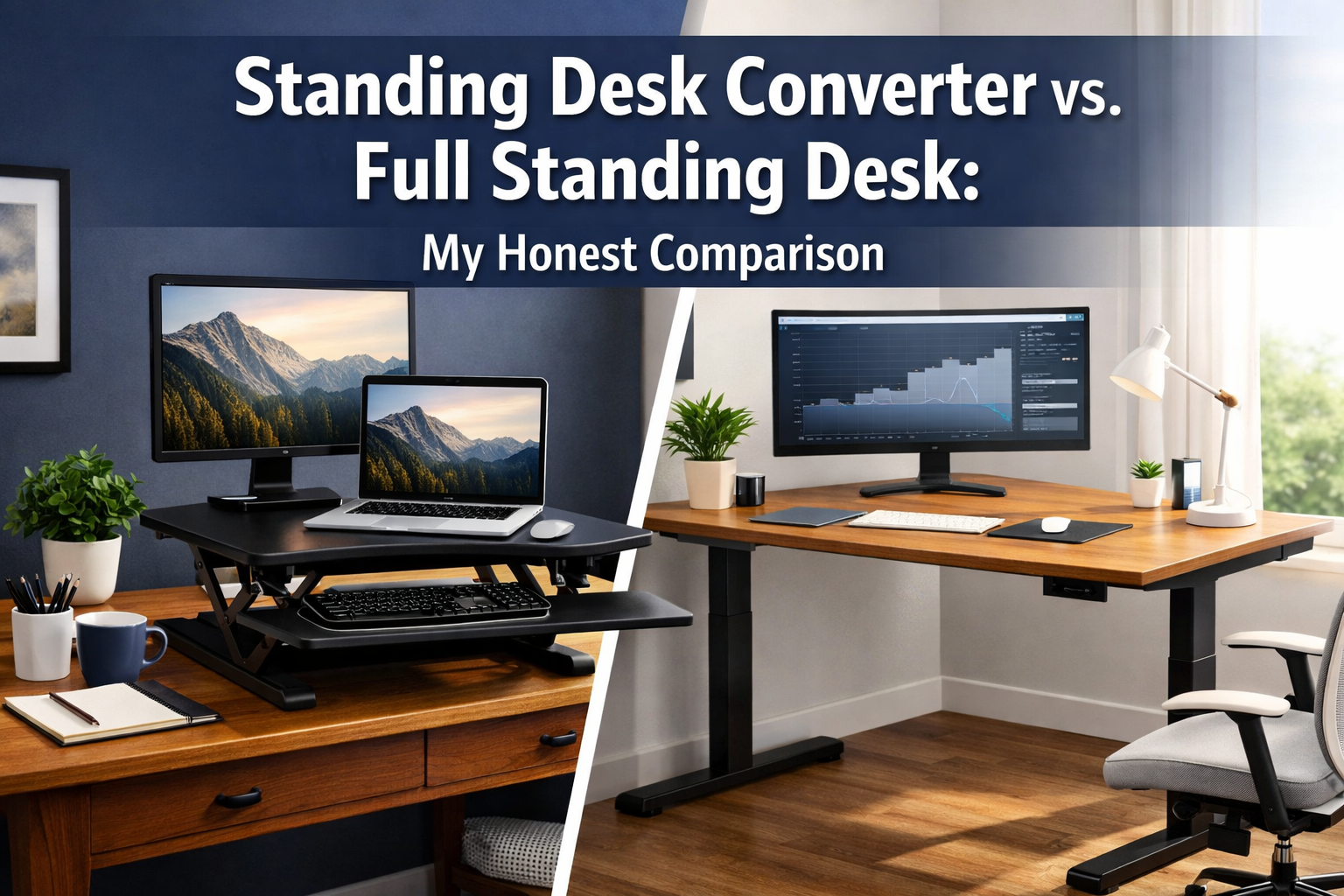

Picture this: You're sitting at your desk for the eighth hour today, lower back aching, shoulders hunched, knowing something needs to change. You've heard about the benefits of standing while working, but you're stuck at a crossroads—should you invest in a full standing desk or try a more affordable converter first? This Standing Desk Converter vs. Full Standing Desk: My Honest Comparison will help you make the right choice for your workspace, budget, and health goals in 2026.
The decision between a standing desk converter and a full standing desk isn't just about money—it's about understanding your work habits, available space, and long-term commitment to ergonomic wellness. Both options promise to reduce sedentary behavior and improve posture, but they deliver these benefits in vastly different ways.
Key Takeaways
- Standing desk converters offer affordability and portability but may sacrifice stability and workspace area
- Full standing desks provide superior stability and customization but require significant upfront investment ($300-$1,500+)
- Real-world usage patterns show most people stand 2-4 hours daily, not the full workday
- Room size and budget are the primary factors that should guide your decision
- Trial periods with converters can help determine if standing work suits your lifestyle before committing to a full desk
Pros and Cons of Converters (Portability vs. Stability)
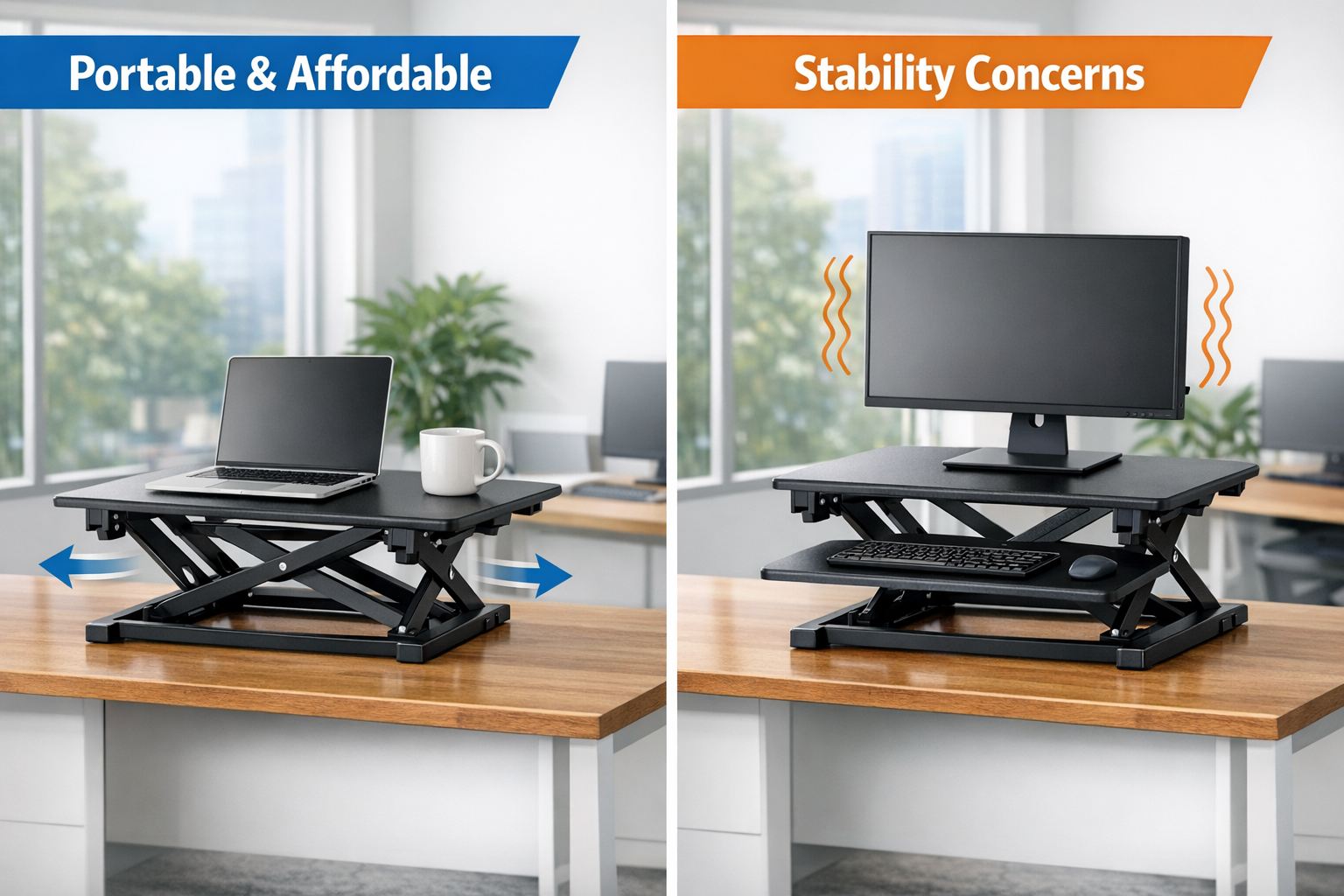
Standing desk converters have exploded in popularity since 2020, and for good reason. These desktop units sit on top of your existing desk and elevate your monitor and keyboard to standing height. But are they the right solution for everyone?
The Undeniable Advantages of Converters
Affordability stands as the most compelling reason to choose a converter. Quality models range from $150 to $400, making them accessible to professionals who aren't ready to invest $800+ in a full desk. This price point allows you to experiment with standing work without major financial commitment.
Portability offers flexibility that full desks simply cannot match. Need to move between home and office? Converters weigh 20-40 pounds and can be transported in a car. Renters particularly appreciate this feature—no need to worry about moving a 150-pound desk when your lease ends. Similarly, professionals seeking international opportunities value equipment that doesn't tie them down.
Quick setup means you can start standing within minutes of unboxing. No assembly required for most models—just place it on your desk, adjust the height, and you're ready. This simplicity appeals to those who dread furniture assembly or lack tools.
Preservation of existing furniture matters if you love your current desk. Maybe it's a family heirloom, a custom-built piece, or simply a desk you've already paid for. Converters let you keep what you have while adding standing functionality.
The Frustrating Limitations You Need to Know
Stability issues plague many converter models, especially budget options. The higher you raise the platform, the more wobble you'll experience when typing. This becomes particularly noticeable with dual monitor setups or during video calls when camera shake is visible. The Z-lift and spring-assisted mechanisms that enable easy height adjustment often compromise rigidity.
Limited workspace creates daily frustration. Most converters offer 28-35 inches of width, significantly less than standard desks. This means constantly choosing what stays on the elevated platform versus what remains on your base desk. Coffee mugs, notebooks, phones, and other essentials get relegated to lower surfaces, requiring awkward reaching.
Height adjustment challenges vary by mechanism. Spring-assisted models require two hands and significant force to raise or lower. Manual crank systems take 20-30 seconds to adjust. While electric converters solve this problem, they cost $350-500, approaching entry-level full desk prices.
Weight capacity restrictions typically max out at 35 pounds. This accommodates most laptop or single monitor setups, but dual monitors with heavy stands may exceed limits. Overloading causes increased wobble and potential safety hazards.
| Feature | Standing Desk Converter | Full Standing Desk |
|---|---|---|
| Price Range | $150-$500 | $300-$1,500+ |
| Stability | Moderate to Low | Excellent |
| Workspace Area | 28-35 inches | 48-72 inches |
| Weight Capacity | 15-35 lbs | 100-350 lbs |
| Portability | High ✅ | Very Low ❌ |
| Assembly Required | None | 30-90 minutes |
Who Should Choose a Converter?
Converters work best for minimalists with single laptop or monitor setups, renters who move frequently, budget-conscious professionals testing standing work, and those with small home offices where a full desk won't fit. Just as professionals research visa sponsorship opportunities before relocating, testing your standing tolerance with a converter before major furniture investment makes practical sense.
When a Full Desk is Worth the Investment
Full standing desks represent a significant commitment—both financially and spatially. However, for serious remote workers and those committed to ergonomic health, they deliver unmatched benefits that justify the investment.
The Premium Experience of Full Standing Desks
Rock-solid stability transforms your work experience. Electric standing desks use dual or triple motor systems with steel frames that eliminate wobble entirely. Type as aggressively as you want, lean on the desk, or set up triple monitor arrays—the surface remains perfectly stable. This stability matters tremendously during video conferences, detailed design work, or writing sessions.
Generous workspace typically ranges from 48 to 72 inches wide and 24 to 30 inches deep. This accommodates dual monitors, speakers, desk lamps, plants, and all your daily essentials without feeling cramped. The psychological benefit of spaciousness shouldn't be underestimated—clutter-free surfaces promote focus and reduce stress.
Effortless height adjustment via electric motors takes 10-20 seconds and requires only pressing a button. Premium models include programmable memory presets—save your perfect sitting and standing heights, then switch between them with a single touch. This convenience dramatically increases standing frequency compared to manual adjustment systems.
Superior weight capacity of 100-350 pounds means never worrying about equipment limits. Heavy monitor arms, desktop computers, multiple displays, and accessories all fit comfortably within specifications.
Professional cable management systems include grommets, trays, and routing channels that keep cables organized and hidden. This creates a clean aesthetic while preventing cable tension during height changes.
Longevity and warranty distinguish quality full desks. Expect 10-year warranties on frames and 3-5 years on motors from reputable manufacturers. With proper care, these desks last 15+ years, making the cost-per-year remarkably reasonable.
The Investment Considerations
Upfront cost ranges from $300 for basic manual crank models to $1,500+ for premium electric desks with advanced features. This represents a significant expense, though many professionals view it as essential equipment—similar to investing in education opportunities that enhance career prospects.
Assembly requirements typically demand 30-90 minutes and a second person for larger models. While not complicated, the process requires following detailed instructions and managing heavy components.
Permanent footprint means committing valuable floor space. Full desks aren't easily moved between rooms or relocated during life transitions. Those pursuing international career opportunities should consider whether furniture investment aligns with mobility plans.
Electrical requirements for motorized models mean positioning near outlets and managing power cables. This limits placement flexibility in some rooms.
Who Should Invest in a Full Standing Desk?
Full desks suit dedicated home office workers spending 6+ hours daily at their desk, professionals with multi-monitor setups, those with back pain or circulation issues requiring frequent position changes, homeowners planning to stay put for years, and anyone who's already tried standing via a converter and confirmed they'll use it regularly.
The investment makes particular sense for professionals in stable, long-term situations—whether that's skilled workers settling abroad or established remote workers committed to their home office setup.
Real-world Usage: How Long Do I Actually Stand?
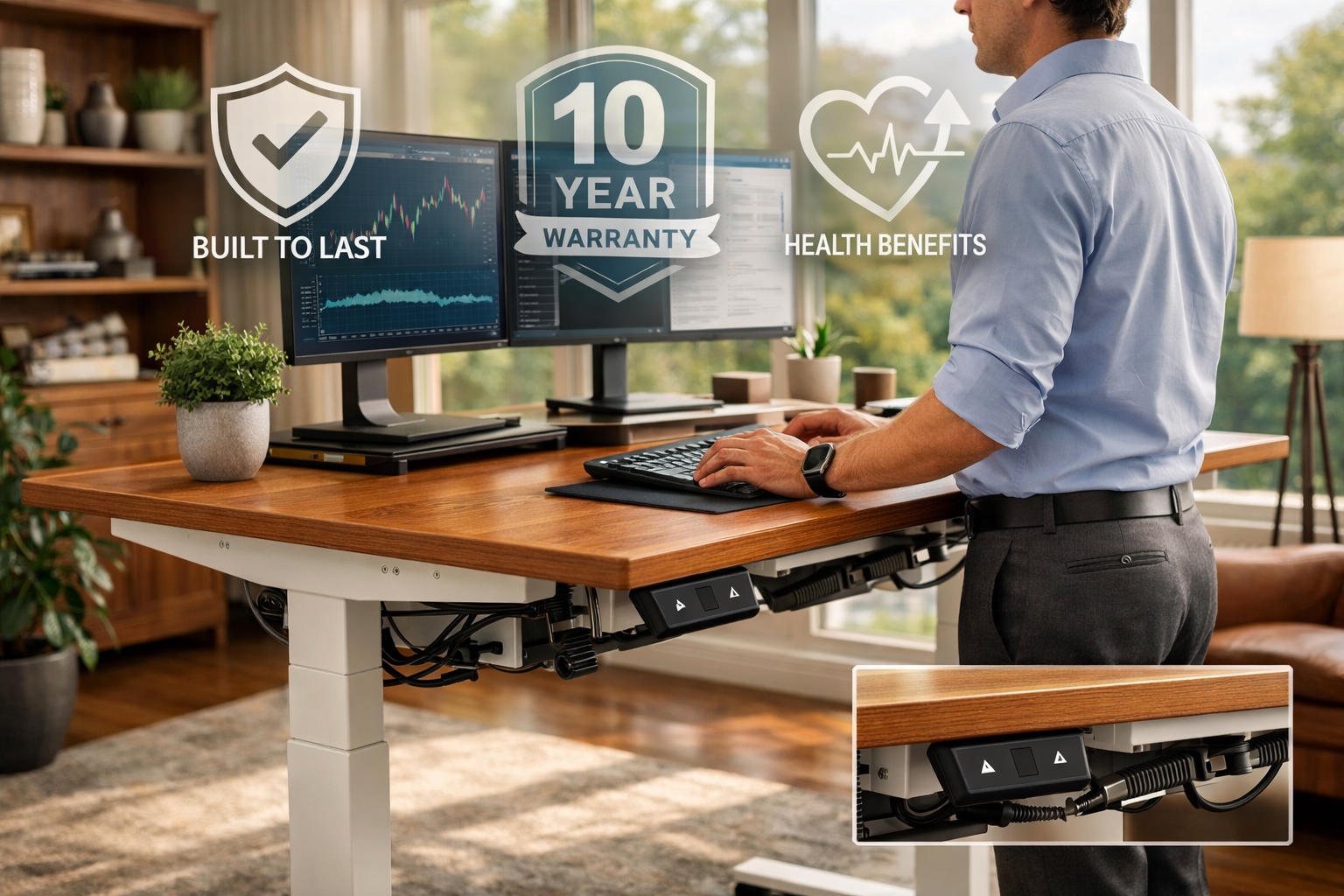
The standing desk industry loves to promote images of people standing all day, energized and productive. Reality tells a different story—and understanding actual usage patterns is crucial for making the right choice in this Standing Desk Converter vs. Full Standing Desk: My Honest Comparison.
The Truth About Standing Duration
Research from 2024-2026 workplace studies reveals that most standing desk users stand 2-4 hours daily, not the full 8-hour workday. This breaks down into multiple standing sessions of 30-60 minutes, alternating with sitting periods. Very few people stand for more than 90 consecutive minutes before needing to sit.
Why the limited standing time? Fatigue sets in faster than expected, particularly for those new to standing work. Leg discomfort, foot soreness, and lower back tension develop within the first hour for beginners. Even experienced standing desk users report that certain tasks—detailed spreadsheet work, creative writing, video editing—feel more comfortable while seated.
Task-based position changes emerge as the optimal pattern. Many users stand during calls, meetings, email processing, and reading, then sit for focused deep work, detailed analysis, and lengthy writing sessions. This natural rhythm typically produces 40-50% standing time across the workday.
The Adaptation Period Matters
Expect a 2-4 week adjustment phase when starting standing work. Initial enthusiasm often leads to 3-4 hours of standing on day one, followed by significant soreness and reduced standing on day two. Smart users gradually increase standing time by 15-30 minutes weekly.
Anti-fatigue mats become essential equipment, not optional accessories. Quality mats ($40-100) reduce foot and leg fatigue by 30-40%, significantly extending comfortable standing duration. Without proper matting, standing time decreases substantially.
Footwear choices dramatically impact standing comfort. Supportive shoes or standing barefoot on quality mats work best. Avoid high heels, flat unsupportive shoes, or worn-out sneakers during standing sessions.
Tracking Your Standing Habits
Many electric standing desks now include usage tracking that monitors daily standing time. Data from thousands of users shows:
- 📊 Average standing time: 2.8 hours daily
- 📊 Most common pattern: 4-6 standing sessions of 30-45 minutes each
- 📊 Peak standing times: 9-11 AM and 2-4 PM
- 📊 Lowest standing times: Early morning and end of day
These patterns suggest that ease of adjustment directly correlates with usage frequency. Electric desks with memory presets see 40% more standing time than manual crank models. Converters with difficult adjustment mechanisms show the lowest standing duration—users simply don't bother changing positions as often.
Implications for Your Decision
If you're someone who sits for extended focused work sessions, a converter might suffice since you'll only stand occasionally. The adjustment inconvenience won't significantly impact your limited standing sessions.
However, if you plan to alternate frequently throughout the day—the medically recommended approach—the effortless adjustment of electric full desks becomes invaluable. The convenience factor directly determines whether you'll actually use the standing feature or let it become expensive furniture.
Consider your work style: Are you someone who gets absorbed in tasks for hours, or do you naturally shift activities every 30-60 minutes? The latter group benefits tremendously from electric full desks, while the former might find converters adequate. This self-awareness matters as much as budget when making your decision—similar to how professionals must honestly assess their qualifications when pursuing specialized career opportunities.
Health Benefits Require Consistency
The cardiovascular, metabolic, and musculoskeletal benefits of standing work require consistent daily practice over months. Sporadic standing—once or twice weekly—provides minimal health impact. Equipment that facilitates regular position changes delivers actual health returns on your investment.
This reality check matters: If you won't actually use the standing feature regularly, even the cheapest converter represents wasted money. Honest self-assessment about your commitment level should guide your purchase decision.
Conclusion: Recommendation Based on Room Size and Budget
Making the right choice in this Standing Desk Converter vs. Full Standing Desk: My Honest Comparison ultimately depends on three critical factors: your available space, budget constraints, and commitment level to standing work.
The Converter Path Makes Sense If You:
✅ Have limited budget ($150-400 available)
✅ Rent your living space or move frequently
✅ Want to test standing work before major investment
✅ Have small workspace (under 100 square feet)
✅ Use single laptop or monitor setup
✅ Stand occasionally rather than multiple times daily
✅ Love your current desk and want to preserve it
Recommended converter models for 2026 include the Vari Electric Standing Desk Converter ($395), FlexiSpot M2B Standing Desk Converter ($180), and Fully Cooper Standing Desk Converter ($299). These offer the best stability-to-price ratios in the converter category.
The Full Desk Investment Makes Sense If You:
✅ Work from home full-time (6+ hours daily)
✅ Have dedicated office space (100+ square feet)
✅ Own your home or plan to stay put for 2+ years
✅ Use multiple monitors or heavy equipment
✅ Experience back pain or circulation issues
✅ Want frequent position changes throughout the day
✅ Can budget $500-1,000 for quality equipment
Recommended full desk models for 2026 include the Uplift V2 Standing Desk ($599-799), Fully Jarvis Bamboo Standing Desk ($559-789), and FlexiSpot E7 Pro Plus ($499-699). These represent the best value in the electric standing desk category with proven reliability.
The Hybrid Approach: Start Small, Upgrade Later
Many successful standing desk users follow a progressive investment strategy: Start with a quality converter ($200-300) to establish standing habits over 3-6 months. If you consistently stand 2+ hours daily and find the converter limiting, upgrade to a full desk and repurpose the converter for a secondary workspace or sell it.
This approach minimizes financial risk while providing real-world data about your actual usage patterns. The converter investment isn't wasted—it's market research that informs your larger purchase decision.
Room Size Considerations
Small spaces (under 80 square feet) often can't accommodate full desks without creating cramped conditions. Converters preserve floor space and maintain room functionality. Consider whether you can comfortably move around a full desk or if it would dominate the room.
Medium to large spaces (100+ square feet) easily accommodate full desks while maintaining comfortable circulation. The investment makes sense when space isn't constraining.
Budget Reality Check
Quality standing solutions exist at every price point:
- 💰 $150-300: Basic converters, manual crank desks
- 💰 $300-500: Premium converters, entry electric desks
- 💰 $500-800: Mid-range electric desks with memory presets
- 💰 $800-1,500: Premium electric desks with advanced features
Avoid the temptation to buy the cheapest option in either category. Poor quality converters wobble dangerously, while budget full desks suffer motor failures within 1-2 years. Invest in the best quality you can afford within your chosen category.
Your Next Steps
Step 1: Honestly assess your standing commitment. Will you actually use this feature daily, or is it aspirational?
Step 2: Measure your workspace and determine what physically fits comfortably.
Step 3: Set a realistic budget that won't strain your finances. Just as professionals carefully budget when pursuing international education opportunities, approach this investment thoughtfully.
Step 4: If unsure, start with a quality converter. Test for 60-90 days. Track your actual standing time.
Step 5: Based on real usage data, either stick with the converter or upgrade to a full desk with confidence.
The standing desk market will continue evolving in 2026, with improved features and competitive pricing. However, the fundamental choice between converters and full desks remains: portability and affordability versus stability and workspace. Neither option is universally superior—the right choice depends entirely on your specific situation, work style, and long-term plans.
Make your decision based on honest self-assessment rather than idealized visions of standing all day. The best standing desk is the one you'll actually use consistently, whether that's a $200 converter or a $1,200 premium electric desk. Your health, productivity, and comfort deserve equipment that matches your real needs, not aspirational goals.