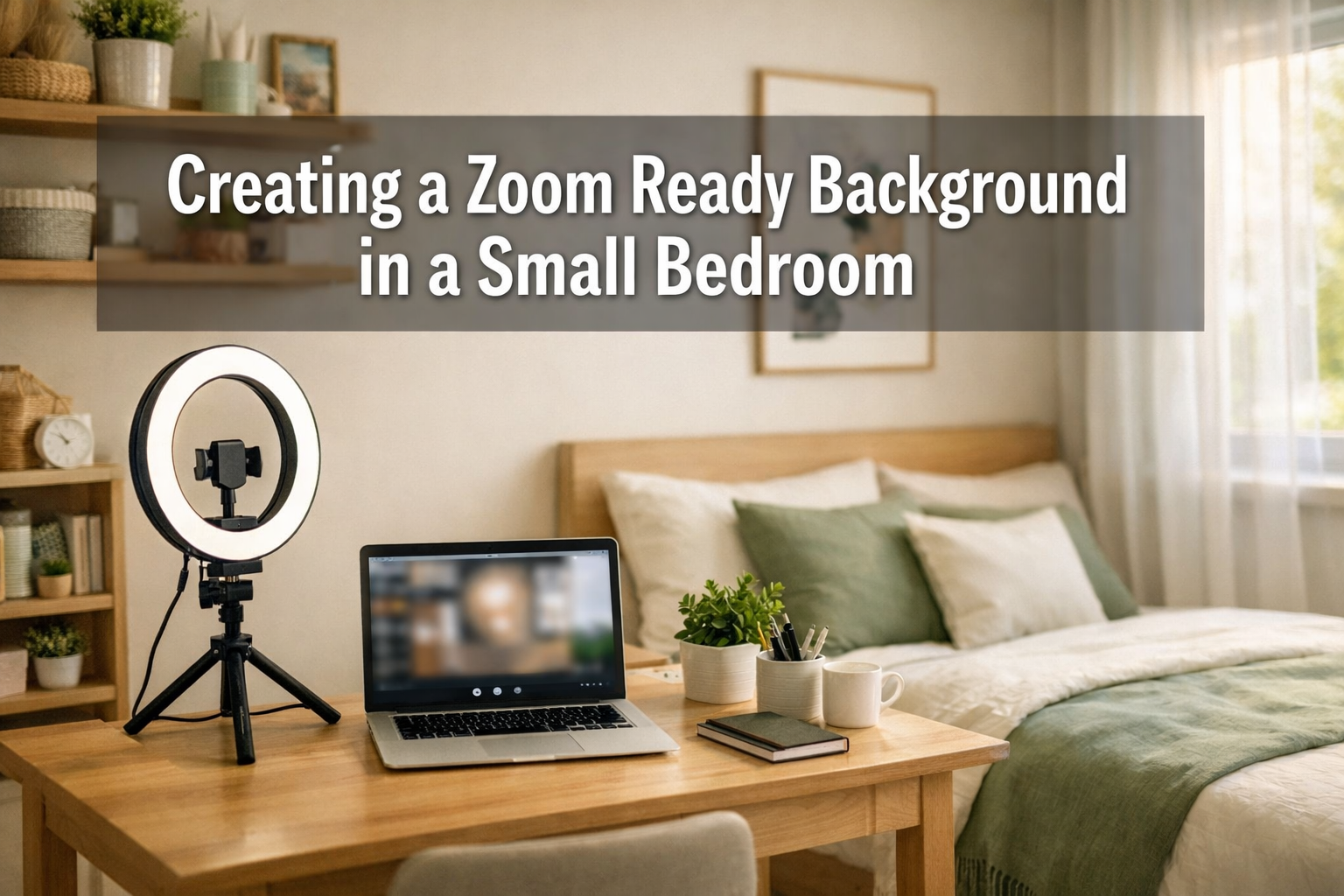

The camera turns on, and suddenly everyone can see the pile of laundry behind you. That awkward moment when a colleague asks about the unmade bed in your background has become all too familiar in 2026. As remote work continues to dominate professional life, Creating a "Zoom Ready" Background in a Small Bedroom has transformed from a nice-to-have skill into an essential professional requirement. The challenge isn't just about looking presentable—it's about maintaining privacy, projecting competence, and creating a workspace that doesn't broadcast your entire personal life to coworkers, clients, and managers.
Key Takeaways
- Three-point lighting using household lamps can transform video quality without expensive equipment, making you look professional and well-prepared
- Strategic decluttering takes just 5-10 minutes before calls and creates a clean, distraction-free background that keeps focus on you
- Physical backgrounds outperform virtual ones by eliminating technical glitches, looking more authentic, and working across all video platforms
- Camera positioning at eye level combined with proper lighting matters more than room size for professional appearance
- Simple dividers and intentional framing can create privacy in shared spaces without major renovations or furniture purchases
The Challenge of Privacy in Shared Spaces
Living in a small bedroom while maintaining professional video presence creates unique obstacles. Whether sharing an apartment with roommates, living with family, or working from a studio space, the bedroom often doubles as the only private area available for video calls. This dual-purpose reality means personal items, sleeping areas, and limited space all compete for the same square footage that needs to look professional on camera.
The pressure intensifies when considering that video calls now extend beyond casual team check-ins. Job interviews, client presentations, performance reviews, and even international opportunities requiring professional presentation all happen through that same small bedroom setup. The stakes are high, but the solutions don't require expensive renovations or moving to a larger space.
Privacy concerns go beyond just hiding personal items. Roommates walking past, family members entering unexpectedly, or background noise from shared living spaces can undermine professional credibility. Creating a "Zoom Ready" Background in a Small Bedroom addresses both the visual and practical aspects of maintaining boundaries in compact living situations.
Lighting: The 3-Point Setup Using Household Lamps 💡
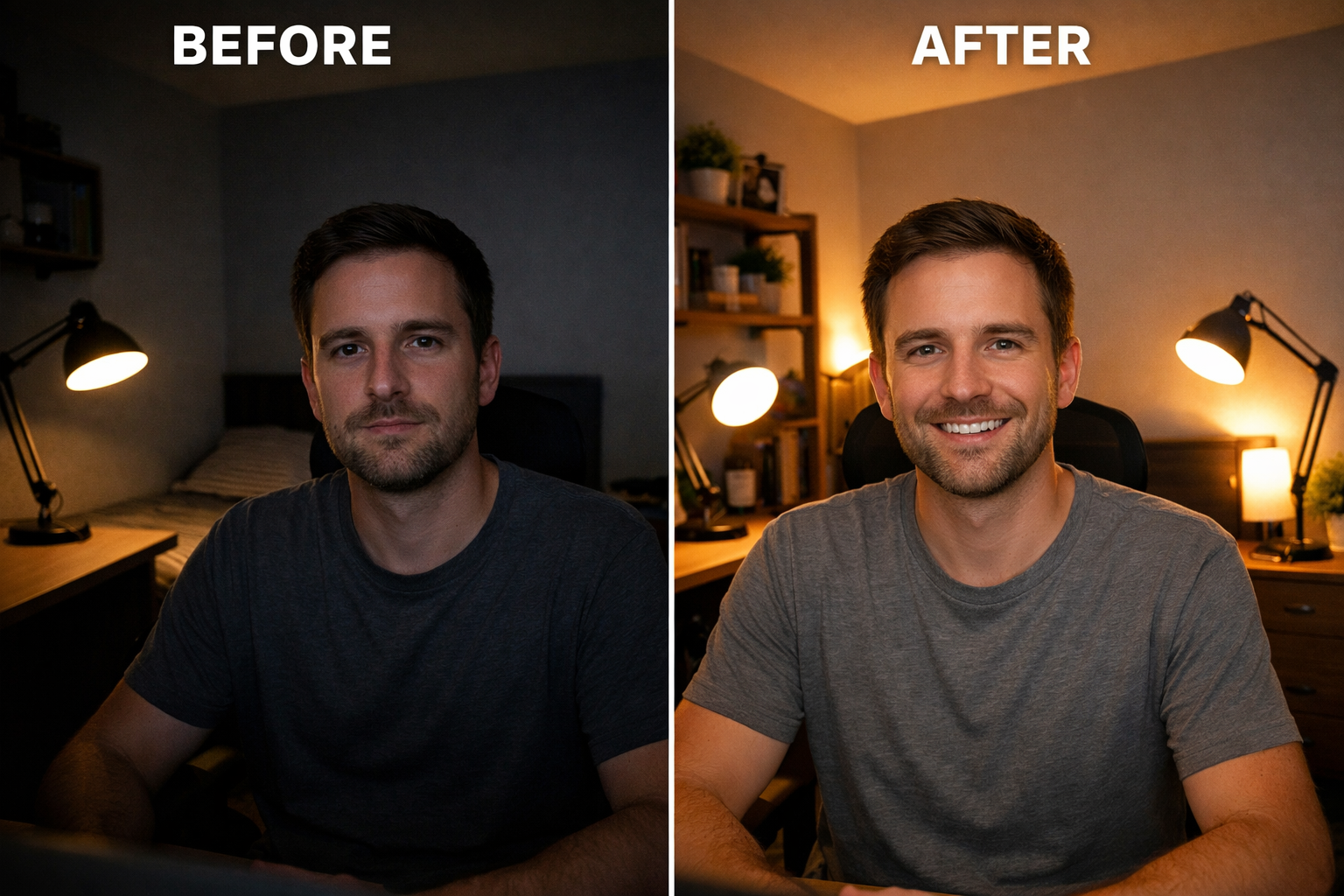
Professional lighting transforms video quality more dramatically than any other single factor. The good news? Creating a "Zoom Ready" Background in a Small Bedroom doesn't require expensive ring lights or studio equipment. Three household lamps positioned correctly can achieve broadcast-quality results.
Understanding the Three-Point Lighting System
The classic three-point lighting setup consists of:
| Light Type | Purpose | Household Solution |
|---|---|---|
| Key Light | Main illumination for your face | Desk lamp or floor lamp positioned 45° to your left or right |
| Fill Light | Softens shadows created by key light | Smaller lamp on opposite side, lower intensity |
| Back Light | Creates separation from background | Lamp behind you, pointed at wall or your shoulders |
Practical Implementation in Small Spaces
Key Light Positioning: Place the brightest lamp about 3-4 feet away from your face, positioned at a 45-degree angle to either side. This creates dimension and prevents the flat, washed-out look of direct overhead lighting. A desk lamp with an adjustable arm works perfectly—point it slightly downward toward your face rather than straight on.
Fill Light Strategy: On the opposite side, position a softer light source. This could be a smaller lamp, a lamp with a lower wattage bulb, or even the same lamp placed further away. The goal is to fill in shadows without creating competing light sources. In small bedrooms, a lamp reflected off a white wall can serve as an excellent fill light.
Back Light Magic: This is the secret weapon most people skip. Place a small lamp behind you, pointed either at the wall behind you or angled toward your shoulders. This creates visual separation between you and the background, adding professional depth to the image. Even a small LED strip light or reading lamp works for this purpose.
Optimizing Natural Light
If the bedroom has a window, position the desk perpendicular to it rather than facing it directly. Facing a window creates harsh backlighting that turns you into a silhouette. Having the window to your side provides beautiful, soft natural light that complements artificial lighting.
For those pursuing educational opportunities that require professional video interviews, proper lighting can make the difference between appearing prepared and appearing amateur.
Quick Lighting Checklist
✅ Face evenly lit without harsh shadows under eyes or nose
✅ Background slightly darker than your face to maintain focus
✅ No glare on glasses (adjust lamp angles if needed)
✅ Warm color temperature (2700K-3000K bulbs feel more natural than cool white)
✅ Consistent brightness across video frame without hot spots
Decluttering the Frame: Quick Fixes Before a Call 🧹
Creating a "Zoom Ready" Background in a Small Bedroom requires strategic thinking about what appears in frame. The camera sees a narrow slice of the room—typically just 3-4 feet of wall space behind you. This limited view means decluttering doesn't require organizing the entire bedroom, just the visible area.
The 5-Minute Pre-Call Routine
Step 1: Frame Check (1 minute)
Open the video platform and check exactly what appears in frame. Sit in your normal position and note what's visible. Many people are surprised to discover their camera shows far less (or more) than they assumed.
Step 2: Remove Distractions (2 minutes)
Clear anything that moves, flashes, or draws attention. This includes:
- Clothes hanging on doors or chairs
- Open closet doors revealing clutter
- Unmade bed corners
- Phone chargers and visible cables
- Personal photos or posters with identifying information
- Mirrors that might reflect other parts of the room
Step 3: Add Intentional Elements (2 minutes)
Replace random clutter with purposeful items that enhance professionalism:
- One or two books on a visible shelf
- A small plant (real or high-quality artificial)
- Neutral artwork or a simple frame
- A tasteful lamp that's visible but not distracting
Strategic Furniture Positioning
"The camera doesn't need to see your whole room—just the 3 feet directly behind you. Angle your desk toward the cleanest wall, even if it means sitting at an unusual angle in the room."
In small bedrooms, this might mean positioning the desk in a corner, facing a closet door, or even sitting with your back to the window (compensated with proper artificial lighting). The goal is finding the most neutral, clean backdrop available within the space.
For professionals exploring international career opportunities, maintaining a consistently professional background across multiple video interviews demonstrates attention to detail and organizational skills.
Creating Depth and Interest
A completely blank wall can appear sterile and uninviting. Adding subtle depth makes the background more engaging without becoming distracting:
- Floating shelves with 3-5 carefully curated items (books, small plants, minimal decor)
- Textured wall hanging in neutral tones (macrame, woven fabric, simple tapestry)
- Single piece of artwork positioned at eye level when seated
- Subtle curtain or fabric backdrop in solid, professional colors
The key principle: anything in frame should be intentional and add to your professional image rather than detract from it.
Cable Management Solutions
Visible cables and cords create visual chaos in small spaces. Quick fixes include:
- Adhesive cable clips along desk edges
- Cable sleeves that bundle multiple cords together
- Routing cables behind furniture or along baseboards
- Using furniture placement to hide power strips
Physical Dividers vs. Virtual Backgrounds (Why Physical Wins) 🏆
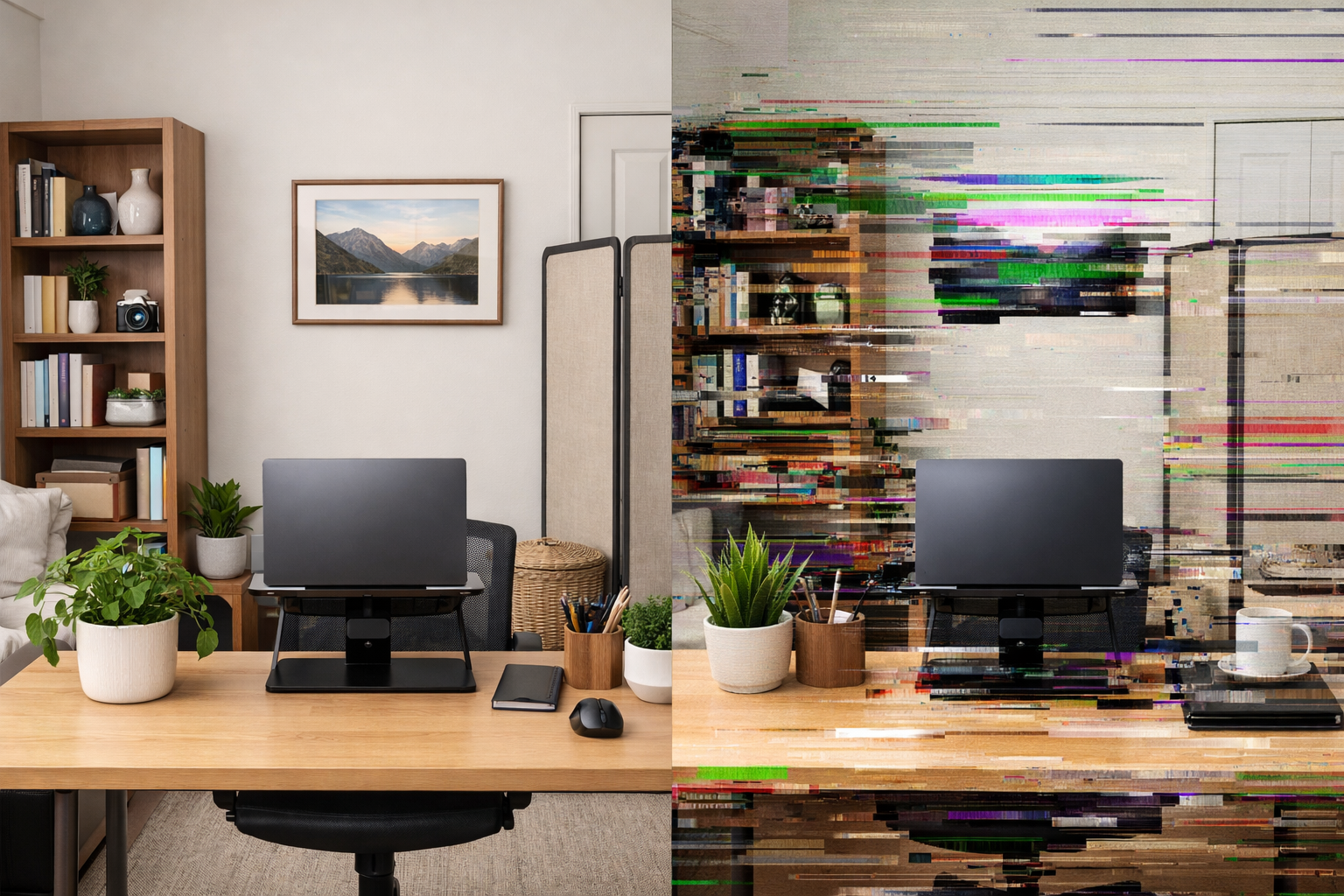
The debate between physical backgrounds and virtual backgrounds has a clear winner in 2026: physical solutions outperform digital ones in almost every professional scenario. While virtual backgrounds have improved significantly, they still present technical and professional challenges that physical setups avoid entirely.
The Technical Reality of Virtual Backgrounds
Virtual backgrounds rely on software to distinguish between the person and the background, then replace everything behind the person with a digital image. This process creates several persistent problems:
Edge Detection Issues: Hair, especially curly or detailed hair, creates a "halo effect" where the background bleeds through. Arms and hands moving during natural gestures often trigger glitches where parts of the body disappear or the background flickers.
Processing Power Requirements: Virtual backgrounds require significant computing resources. On older laptops or during bandwidth-intensive calls, this can cause:
- Choppy video quality
- Audio-video sync issues
- Overheating and fan noise
- Reduced battery life during important calls
Platform Inconsistencies: Different video platforms handle virtual backgrounds differently. A background that works perfectly on Zoom might glitch on Microsoft Teams or Google Meet. For professionals taking virtual interviews for international positions, this inconsistency creates unnecessary stress.
Why Physical Backgrounds Project Authenticity
Perception matters. Research on video call psychology shows that viewers perceive physical backgrounds as more authentic and trustworthy. Virtual backgrounds, even when executed flawlessly, signal to viewers that something is being hidden or altered. This unconscious perception can undermine credibility during important calls.
Physical backgrounds also demonstrate:
- Preparation and professionalism (you took time to organize your space)
- Stability and permanence (consistent background across calls)
- Attention to detail (intentional choices about what appears in frame)
Creating Physical Dividers in Small Bedrooms
Folding Room Dividers: Three-panel folding screens create instant backgrounds and cost $30-100. Position one behind your desk to create a clean, neutral backdrop that hides the rest of the bedroom. Choose solid colors or subtle patterns in professional tones: gray, beige, navy, or sage green.
Tension Rod Curtains: Install a tension rod between two walls and hang a solid-colored curtain. This creates a fabric backdrop that:
- Absorbs sound (reducing echo in small rooms)
- Hides bedroom clutter completely
- Costs under $40 for rod and curtain
- Requires no wall damage or permanent installation
Bookshelf Backdrop: Position a bookshelf behind your desk and carefully curate what appears on the visible shelves. This creates visual interest while maintaining professionalism. Remove personal photos, organize books with spines facing out, and add small plants or neutral decor items.
The Hybrid Approach
For those who occasionally need virtual backgrounds (perhaps for academic presentations or scholarship interviews), having a clean physical background actually improves virtual background performance. A neutral, solid-colored physical backdrop provides better edge detection and fewer glitches when virtual backgrounds are necessary.
Comparison: Physical vs. Virtual Solutions
| Factor | Physical Background | Virtual Background |
|---|---|---|
| Authenticity | High – appears genuine | Medium – viewers can tell |
| Technical Reliability | Excellent – no glitches | Variable – depends on system |
| Setup Time | 10-30 minutes initially, then permanent | 30 seconds per call |
| Cost | $30-150 one-time | Free to $10/month |
| Professional Perception | Very positive | Neutral to slightly negative |
| Platform Compatibility | Works everywhere | Platform-dependent |
Making Physical Dividers Work in Tight Spaces
The smallest bedrooms benefit most from strategic divider placement:
Corner Positioning: Place the desk in a corner with the divider creating a small "office nook." This uses dead space efficiently while creating clear boundaries between sleeping and working areas.
Multi-Purpose Dividers: Choose dividers that serve dual functions—a bookshelf divider provides storage while creating the background, or a divider with hooks holds clothes while blocking them from camera view.
Collapsible Solutions: For bedrooms that must transform between work and sleep modes, invest in dividers that fold flat or curtains that slide aside. This maintains flexibility without sacrificing professional appearance during calls.
Professionals exploring opportunities in different countries often conduct multiple video interviews across different time zones. Having a reliable physical background eliminates one variable during these high-stakes conversations.
Advanced Techniques for Small Bedroom Video Setups
Camera Positioning and Angles
Eye-level placement is non-negotiable for professional video presence. The camera should be positioned so viewers see you straight-on, not looking up your nose or down at the top of your head. In small bedrooms, this often requires:
- Laptop stands or stacked books to raise the computer
- External webcams mounted on adjustable arms
- Positioning the desk at appropriate height (elbows at 90 degrees when typing)
Distance from camera affects how much background is visible. Sitting 2-3 feet from the camera creates the ideal framing where your head and shoulders fill most of the frame, with just enough background visible to provide context without overwhelming the image.
Sound Quality Considerations
Small bedrooms often have poor acoustics—hard surfaces create echo, while soft surfaces (beds, curtains) can muffle sound. Optimize audio by:
- Using a dedicated microphone (even a $30 USB microphone dramatically improves clarity)
- Positioning fabric items strategically to absorb echo
- Closing doors to minimize hallway noise
- Using headphones to prevent audio feedback
For those pursuing international work opportunities where clear communication is essential, investing in audio quality demonstrates professionalism and respect for interviewers' time.
Color Psychology in Backgrounds
The colors visible in your background subtly influence viewer perception:
- Blue tones: Convey trust, stability, professionalism (ideal for corporate environments)
- Green tones: Suggest growth, balance, calm (excellent for education or healthcare fields)
- Neutral tones: Project sophistication, focus, seriousness (appropriate for legal or financial sectors)
- Warm tones: Communicate approachability, creativity, energy (suitable for creative industries)
Avoid bright reds, oranges, or high-contrast patterns that distract from your face and message.
Maintaining Consistency Across Calls
Professional credibility builds through consistency. When colleagues, clients, or interviewers see the same clean, well-lit background across multiple calls, it reinforces your organizational skills and attention to detail. This consistency is particularly valuable for:
- Job seekers conducting multiple interviews
- Freelancers meeting with various clients
- Remote employees in client-facing roles
- Educators conducting virtual classes
Creating a "Zoom Ready" Background in a Small Bedroom becomes easier with practice. The initial setup requires thought and adjustment, but maintaining that setup takes minimal effort once established.
Quick Troubleshooting Guide
Problem: Face appears dark despite lighting
Solution: Move key light closer, increase bulb wattage, or add a second fill light
Problem: Background too bright, face too dark
Solution: Add backlight behind you, dim background lighting, or reposition to use wall reflection
Problem: Shadows under eyes creating tired appearance
Solution: Raise key light position slightly, add fill light from below (laptop screen can serve this purpose)
Problem: Colors look washed out or unnatural
Solution: Check white balance settings in video software, ensure all lights use similar color temperature bulbs
Problem: Room feels cramped on camera
Solution: Pull back from camera slightly, use wider camera angle if available, or position desk diagonally to corner
Conclusion: Professionalism Is About Lighting and Angles, Not Room Size
The transformation from cluttered bedroom to professional video background doesn't require a larger space, expensive equipment, or major renovations. Creating a "Zoom Ready" Background in a Small Bedroom succeeds through strategic choices about lighting, framing, and intentional design. The size of the room matters far less than the quality of light, the cleanliness of the visible frame, and the consistency of the setup.
Remote work, virtual interviews, and online collaboration will continue dominating professional life in 2026 and beyond. The professionals who thrive are those who recognize that video presence is now as important as in-person presentation once was. A small bedroom becomes a professional asset when treated with the same attention to detail as any office space.
Actionable Next Steps
Today: Test your current setup by recording a 2-minute video. Watch it critically and identify the three biggest issues (lighting, background clutter, camera angle).
This Week: Implement the three-point lighting system using lamps you already own. Adjust positions until your face is evenly lit without harsh shadows. Purchase any missing elements (lamp, bulbs, extension cord) for under $50 total.
This Month: Create a permanent physical background solution—whether a folding divider, tension rod curtain, or strategic furniture repositioning. Invest in one quality improvement (external webcam, microphone, or laptop stand) based on your specific needs.
Ongoing: Maintain a 5-minute pre-call routine that checks lighting, clears visible clutter, and tests audio/video. Consistency builds professional credibility over time.
For those exploring career opportunities abroad or advancing their education internationally, mastering video presence in small spaces demonstrates adaptability and resourcefulness—qualities highly valued by employers and academic institutions worldwide.
The bedroom that once felt like a liability becomes a professional strength when approached with intention and strategy. Room size doesn't determine video quality—preparation, lighting, and attention to detail do. Start with the fundamentals outlined here, refine based on specific needs, and watch as that small bedroom transforms into a professional broadcast studio that serves career goals for years to come. 🎯