
The relentless pace of modern work often leaves professionals feeling perpetually behind, caught in a cycle of reactivity. Monday morning panic, that familiar knot in the stomach, rarely begins on Monday itself. Instead, it’s often a slow-burn anxiety that ignites subtly on Sunday night, fueled by the unfinished tasks, cluttered workspaces, and looming deadlines from the week past. Mastering Advanced Workflow & Planning isn't just about sophisticated software or complex methodologies; it begins with cultivating simple yet powerful habits that streamline your approach to work. One such habit, the "Sunday Reset," is a pivotal practice for anyone serious about optimizing their productivity and mental well-being in 2026. This isn't just about cleaning; it's a strategic ritual designed to ensure you start each week not just prepared, but poised for peak performance.
Key Takeaways
- The "Sunday Reset" is a proactive, 30-minute weekly ritual that prevents Monday morning stress and boosts productivity.
- It involves both physical workspace decluttering (desk, bins) and digital organization (clearing downloads, managing desktop).
- A crucial component is the "calendar audit," which involves reviewing upcoming commitments to identify and plan for "heavy" days.
- Implementing this Advanced Workflow & Planning technique significantly reduces cognitive load and allows for a more focused start to the week.
- This simple habit can save hours of reactive stress and improve overall work-life balance.
The Physical Reset: Cleaning the Desk and Emptying the Bin
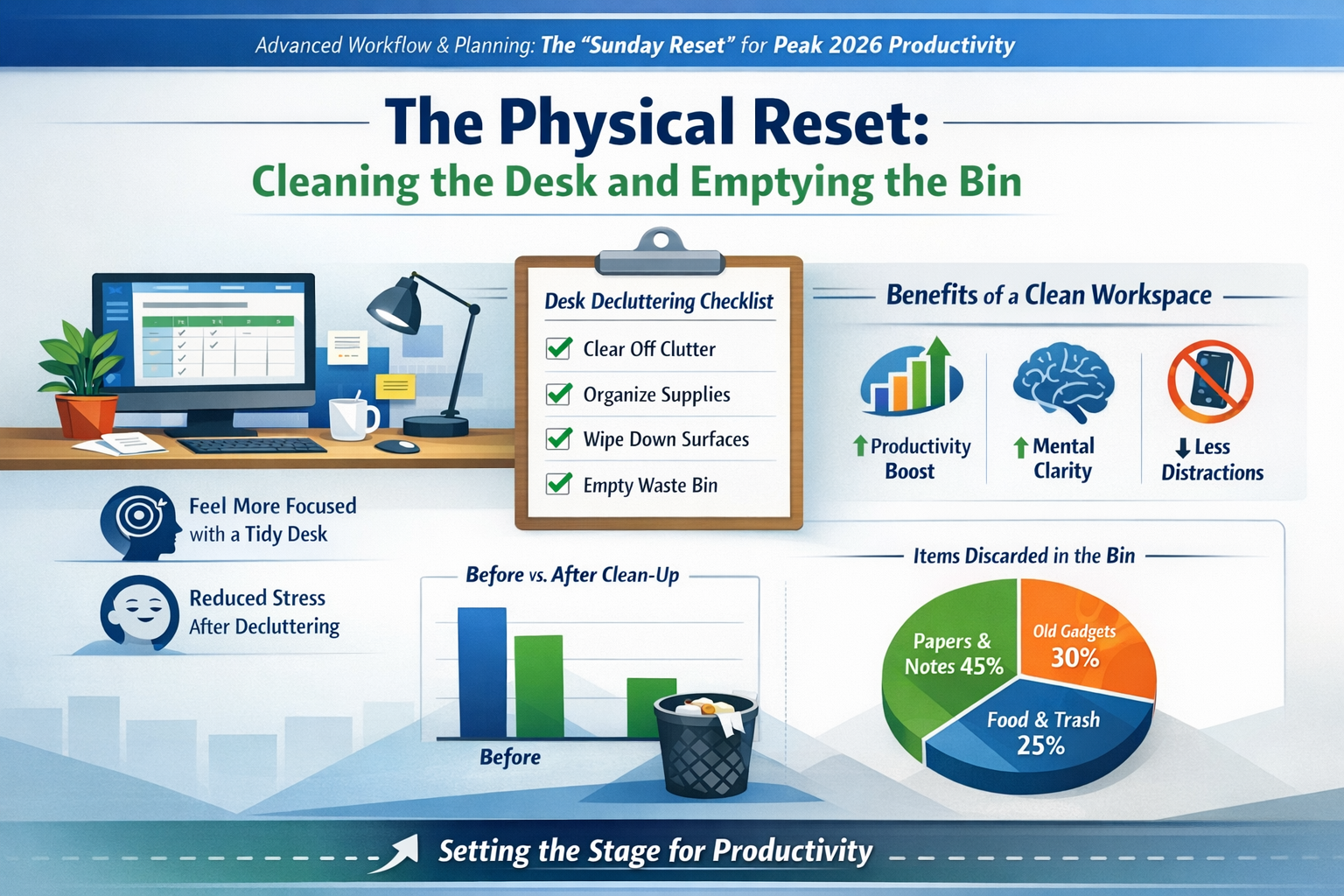
Imagine stepping into your office on Monday morning. Do you see a battleground littered with the remnants of last week's projects, or a clean slate ready for new endeavors? The state of your physical workspace directly impacts your mental state and, by extension, your productivity. A cluttered desk is not just an eyesore; it's a source of constant visual distraction and a subtle reminder of unfinished business, creating a phenomenon known as "decision fatigue" even before you've started your day.
The physical reset component of Advanced Workflow & Planning is remarkably straightforward:
- Clear the Desk Surface: Remove all non-essential items. This includes old coffee cups, snack wrappers, scattered notes, and any documents that aren't immediately relevant to your first tasks on Monday. Group papers that need filing or action into a single inbox or designated tray.
- Empty the Waste Bin: This might seem trivial, but an overflowing bin is a visible symbol of mess and can even contribute to an unpleasant odor. Emptying it creates a sense of freshness and finality for the past week.
- Wipe Down Surfaces: A quick wipe of your desk, monitor, and keyboard not only sanitizes your space but also creates a psychological feeling of a fresh start. It’s amazing how much dust and grime can accumulate over a week!
- Organize Cables: Tidy up any tangled cables behind your monitor or under your desk. A neat cable management system reduces visual clutter and makes your setup more functional.
- Return Items to Their Place: Ensure all office supplies – pens, staplers, notebooks – are in their designated spots. Everything should have a home.
"A clean desk is a clear mind. It's the first step in setting the stage for focused work and a testament to effective Advanced Workflow & Planning."
This physical act of cleaning and organizing is more than just tidiness; it’s a form of mental preparation. It signals to your brain that one cycle is complete and a new one is about to begin. For those working in dynamic environments, such as construction or industrial settings, extending this concept to your shared workspace or equipment area can foster team-wide efficiency. Consider how a well-organized toolkit for a welder can improve safety and speed, much like a clean desk improves focus. For individuals seeking opportunities in such fields, preparing for new roles, whether it's through welding jobs with visa sponsorship in New Zealand or elsewhere, often starts with adopting meticulous organizational habits.
The Digital Reset: Clearing the "Downloads" Folder
In the digital age, our virtual workspaces can become just as cluttered, if not more so, than our physical ones. The "Downloads" folder, in particular, often becomes a digital graveyard of forgotten documents, images, and installers, silently consuming disk space and contributing to digital overwhelm. A crucial part of Advanced Workflow & Planning involves regularly decluttering your digital environment.
Here’s how to conduct an effective digital reset:
-
Review Your "Downloads" Folder: Open your "Downloads" folder and sort by date. Quickly scan through recent additions.
- Delete Unnecessary Files: Installers for software you no longer use, duplicate files, or documents you only needed temporarily can be deleted without a second thought.
- Move & Archive Important Files: Any files you need to keep should be moved to their appropriate project folders or an archive system. This could include meeting notes, client reports, or important resources. Creating a logical folder structure is key to efficient retrieval later.
- Empty the Recycle Bin/Trash: Just like its physical counterpart, a full digital trash can be a hidden drain on system resources and a mental reminder of pending cleanup.
-
Clear Your Desktop: Many professionals use their desktop as a temporary holding area. While convenient in the short term, a desktop covered in icons creates visual noise. Aim for a minimalist desktop, with only essential shortcuts or a single "inbox" folder for new items.
-
Close Unnecessary Browser Tabs: A multitude of open tabs can slow down your computer and fragment your focus. Close tabs you’re no longer actively using, or use a tab management extension to save them for later review.
-
Organize Your Email Inbox: While a full email inbox might warrant its own dedicated ritual, a quick scan on Sunday to move less urgent emails to specific folders or delete spam can prevent a chaotic Monday morning.
This digital hygiene isn't just about aesthetics; it directly impacts your system's performance and your ability to find information quickly. Think of it as ensuring your digital tools are sharp and ready for action. For those considering academic pursuits, such as PhD scholarships in Australia for 2026 or Master's scholarships in Canada, maintaining a pristine digital archive of research papers, notes, and academic resources is paramount for successful project management and thesis development. It’s an invaluable skill that extends far beyond the workplace.
The Calendar Audit: Identifying the "Heavy" Days
Beyond the physical and digital, the most crucial element of Advanced Workflow & Planning during your Sunday Reset is the calendar audit. This step shifts your focus from the past week's clutter to the upcoming week's demands, allowing for proactive strategizing rather than reactive scrambling.
Here’s how to conduct a comprehensive calendar audit:
- Review the Upcoming Week: Open your digital calendar and scroll through each day, starting Monday. Look at all scheduled meetings, appointments, and deadlines.
- Identify "Heavy" Days: These are days packed with back-to-back meetings, critical deadlines, or complex tasks that require deep focus. Mark them mentally or physically (e.g., using color codes in your digital calendar).
- Example: A Monday with 4 hours of meetings and a project proposal due is a "heavy" day. A Wednesday with only one scheduled check-in might be lighter.
- Assess Energy Levels and Focus Needs: Consider what kind of energy each "heavy" day will demand. Will it require intense concentration, significant collaboration, or independent problem-solving?
- Strategic Task Allocation:
- Front-load or Back-load: Can any tasks be moved to lighter days? Perhaps a less urgent report can be tackled on a lighter Wednesday instead of a heavy Monday.
- Batch Similar Tasks: Group similar activities together. For instance, dedicate a specific block on a lighter day for administrative tasks or email processing.
- Schedule "Deep Work" Blocks: For heavy days, proactively block out time for uninterrupted "deep work" around critical meetings. This protects your most valuable focused time.
- Buffer Time: Add small buffer times between meetings on heavy days to allow for transitions, quick breaks, or unexpected overruns.
🗓️ "The calendar audit transforms your week from a series of surprises into a well-orchestrated plan. It’s about being proactive, not reactive, with your most valuable resource: your time."
This proactive review helps you anticipate challenges, manage your energy, and make informed decisions about your schedule. For instance, if you see a particularly demanding Tuesday, you might plan lighter tasks for Monday afternoon or schedule a crucial brainstorming session for a less cluttered day. This forward-thinking approach is fundamental to truly effective Advanced Workflow & Planning. Organizations looking to enhance overall team efficiency often invest in training for such planning, impacting everything from daily operations to major project milestones. For professionals eyeing opportunities like care home jobs in the UK with sponsorship or caregiver jobs in Canada, where schedules can be unpredictable and demanding, a structured Sunday Reset can be an absolute game-changer for personal resilience and service quality. It ensures that the critical demands of the job are met with a well-prepared mind.
Advanced Workflow & Planning: Leveraging Technology for the Reset
While the core principles of the Sunday Reset are habit-based, technology can significantly enhance your Advanced Workflow & Planning efforts. Integrating tools thoughtfully can automate repetitive tasks and provide deeper insights into your productivity patterns.
Here are a few ways technology can support your Sunday Reset:
- Task Management Software: Tools like Asana, Trello, Monday.com, or ClickUp can be used to review tasks for the upcoming week. On Sunday, you can update task statuses, re-prioritize, and assign due dates, ensuring clarity for Monday morning.
- Calendar Tools with Integration: Utilize features in Google Calendar, Outlook Calendar, or similar tools to color-code events, set reminders for "heavy" days, and integrate with task lists. Many tools also offer analytics on how your time is spent, which can inform future planning.
- Digital Note-Taking Apps: Apps like Evernote, Notion, or OneNote can help you consolidate scattered notes from the past week into organized notebooks, making them easy to retrieve and preventing digital clutter on your desktop.
- Automation Tools: Explore simple automations for digital file management. For example, some operating systems allow you to set rules to automatically move files from your "Downloads" folder to specific project folders after a certain period, or to delete temporary files.
- "Focus Mode" or "Do Not Disturb" Scheduling: Proactively schedule "focus mode" blocks in your devices for your identified "deep work" times during the week. This minimizes digital distractions and helps protect your concentration, especially on "heavy" days.
By strategically using these tools, the manual effort of your Sunday Reset can be reduced, making the habit easier to maintain and more effective in supporting your overall Advanced Workflow & Planning strategy. For those engaging in complex project management, such as in seasonal construction jobs in USA with H-2B visa sponsorship or large-scale infrastructure projects, the ability to digitally review and plan resources, timelines, and team assignments on a Sunday can significantly enhance operational efficiency and reduce on-site delays. Similarly, for professionals pursuing higher education abroad, like through STEM scholarships in the USA 2026, effective use of digital planning tools for coursework, research, and collaborative projects is indispensable.
Conclusion: A 30-Minute Ritual That Saves 5 Hours of Stress
The "Sunday Reset" is more than just a routine; it's an investment in your mental clarity, productivity, and overall well-being. By dedicating a mere 30 minutes to this ritual of Advanced Workflow & Planning, you effectively preempt the common pitfalls of a chaotic Monday. You transform your workspace from a relic of the past week into a launchpad for the next. You shift your mindset from reactive anxiety to proactive readiness.
Consider the cumulative impact: 30 minutes spent on Sunday can easily save you hours of wasted time searching for files, battling distractions, rescheduling missed appointments, and the sheer mental drain of overwhelm throughout the week. It’s an asymmetric return on investment – a small effort for a significant gain in peace of mind and output.
Actionable Next Steps:
- Schedule It: Block out 30 minutes every Sunday afternoon or evening in your calendar for your "Sunday Reset." Treat it as a non-negotiable appointment.
- Start Small: Don't try to perfect every step at once. Begin with clearing your desk and reviewing your calendar. As it becomes a habit, gradually incorporate the digital reset and deeper planning.
- Customize Your Ritual: The steps outlined are a guide. Adapt them to fit your specific needs, workspace, and digital habits. What truly helps you feel prepared?
- Reflect and Refine: After a few weeks, take a moment to reflect on what worked well and what could be improved. Is there a particular aspect of the reset that brings you the most value? Adjust your ritual accordingly.
- Encourage Others: Share the benefits with colleagues, friends, or family. A culture of proactive planning benefits everyone.
Embracing the "Sunday Reset" as a cornerstone of your Advanced Workflow & Planning strategy is a powerful step towards regaining control over your workweek in 2026. It's about setting yourself up for success, reducing stress, and ultimately, finding more joy and accomplishment in your professional life.