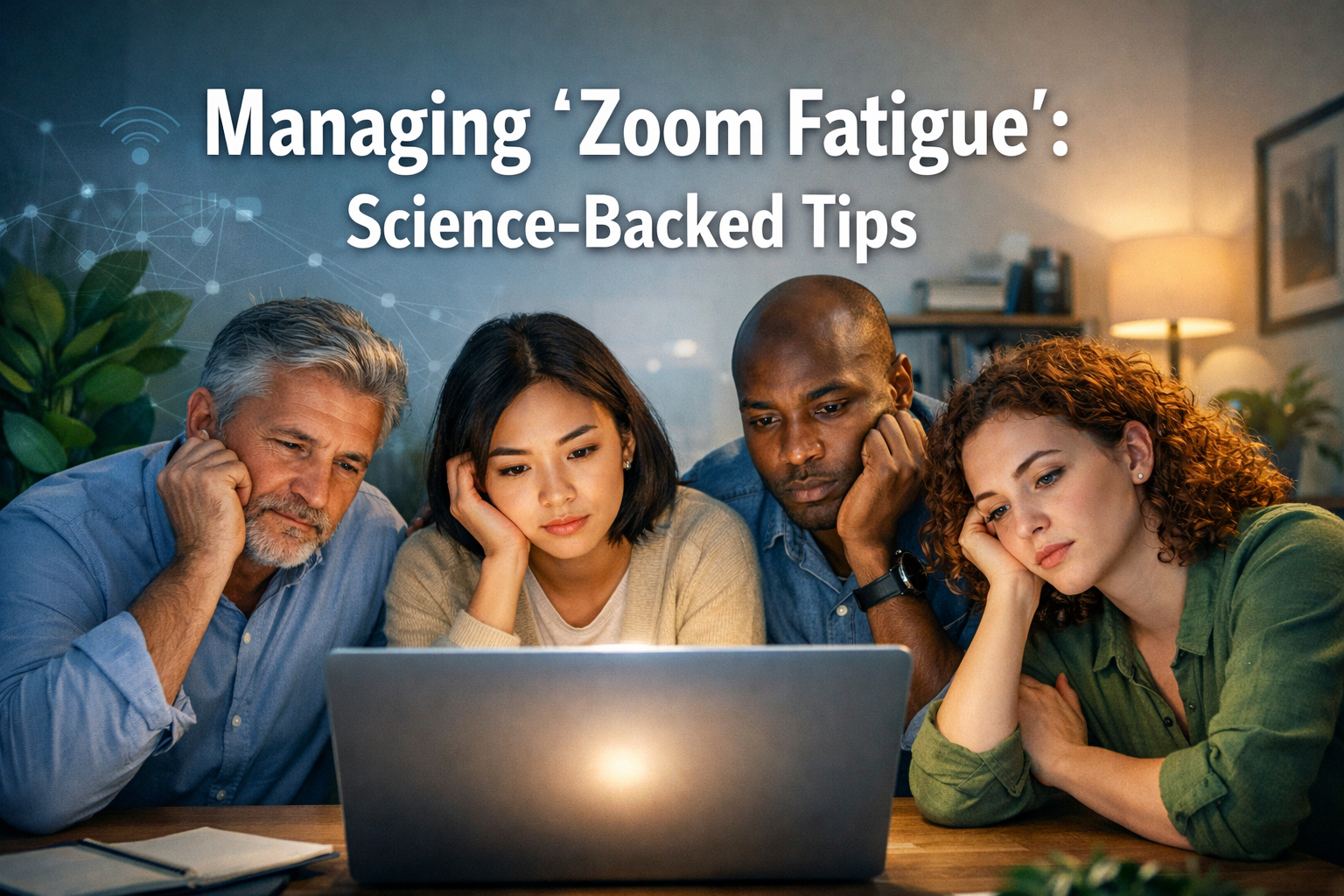

The digital age, accelerated by global shifts, has cemented video conferencing as an indispensable tool for work, education, and social connection. However, what began as a convenient solution quickly revealed an unexpected side effect: "Zoom fatigue." This pervasive feeling of exhaustion, anxiety, and burnout directly linked to prolonged video call participation is a widespread challenge in 2026. While video calls offer unparalleled flexibility, they inherently drain us more than face-to-face interactions. This article explores the science behind this phenomenon and provides actionable, science-backed tips for managing "Zoom Fatigue": Science-Backed Tips, helping individuals and organizations reclaim their energy and focus.
Key Takeaways:
- Self-view drains cognitive resources: Constantly seeing yourself in meetings is like having a mirror held up to you, increasing self-awareness and leading to self-criticism and exhaustion. Hiding this view can significantly reduce mental strain.
- Back-to-back meetings are detrimental: The lack of transition time between virtual meetings prevents mental recovery, leading to accumulated stress and decreased productivity.
- Movement and varied sensory input are crucial: Static, screen-focused interactions limit natural human movement and sensory engagement, contributing to fatigue. Incorporating audio-only walking meetings can counteract this.
- Non-verbal cues are harder to process virtually: Our brains work harder to interpret non-verbal signals on screens, leading to increased cognitive load and mental exhaustion.
- Prioritizing well-being is not optional: Implementing strategies to combat Zoom fatigue is essential for maintaining mental health, productivity, and overall job satisfaction in a digitally-driven world.
The core reason why video calls are more taxing lies in several psychological and physiological factors. Our brains are working overtime to process non-verbal cues in a two-dimensional format, maintain an unnatural level of eye contact, and deal with the constant awareness of being watched (the "performance anxiety"). Moreover, the lack of natural breaks and movement contributes to physical and mental stagnation. Understanding these underlying mechanisms is the first step toward effectively managing "Zoom Fatigue": Science-Backed Tips.
Hiding "Self View": Stop Looking at Yourself!
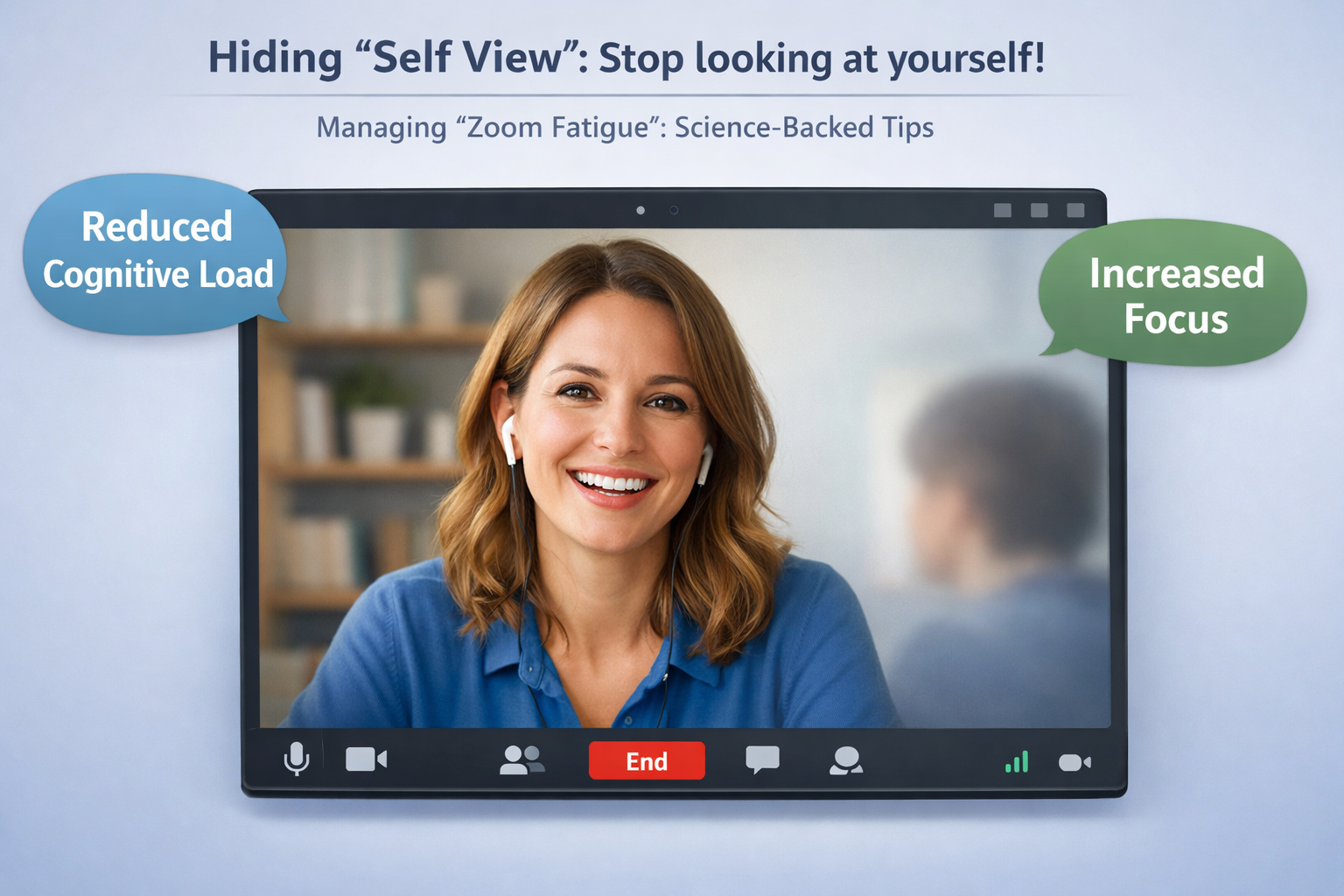
One of the most significant, yet often overlooked, contributors to "Zoom fatigue" is the persistent display of one's own image during a video call. This feature, commonly known as "self view," places individuals in a constant state of self-evaluation, akin to looking into a mirror for hours on end. Psychologically, this triggers an elevated level of self-awareness, which can be mentally exhausting.
The Science Behind the Strain:
- Increased Cognitive Load: Constantly monitoring one's own appearance, expressions, and reactions in real-time adds a significant cognitive burden. It splits attention, diverting mental resources away from the primary task of listening and contributing to the meeting content. This dual processing – participating and self-monitoring – is a key factor in why video calls feel more draining.
- Performance Anxiety: Seeing yourself can amplify feelings of being "on stage." This can lead to increased anxiety, self-consciousness, and a continuous effort to present a certain image, rather than simply engaging authentically. This sustained performance can be incredibly draining.
- Unnatural Focus: In face-to-face interactions, we rarely see ourselves. Our focus is naturally outwards, on others. The self-view feature flips this dynamic, creating an unnatural internal focus that goes against our inherent social processing mechanisms.
Practical Steps for Hiding Self View:
Most video conferencing platforms offer a simple way to hide your self-view without turning off your camera for others.
- Zoom: Right-click on your video feed and select "Hide Self View."
- Microsoft Teams: This feature is less direct but you can often minimize your own video or use the "Focus" mode which might reduce the prominence of your own feed. Alternatively, resize windows so your self-view is off-screen.
- Google Meet: Look for options to "Pin" another speaker, which often pushes your own video to a smaller, less prominent position, or manually adjust window sizes.
Benefits of Disabling Self View:
By removing the distraction of your own image, you can experience several immediate benefits:
- Enhanced Focus: Your attention can fully shift to the meeting content and other participants, leading to better engagement and comprehension.
- Reduced Anxiety: The pressure to constantly monitor and adjust your appearance diminishes, allowing for more relaxed and authentic participation.
- Decreased Cognitive Burden: Freeing up mental resources from self-monitoring allows your brain to concentrate more effectively on the discussion at hand, reducing overall mental fatigue.
- Improved Connection: By focusing outwardly, you can better pick up on the nuances of other participants' expressions and body language, fostering more genuine connections.
Consider this simple change a powerful tool in your arsenal for managing "Zoom Fatigue": Science-Backed Tips. It’s a minor adjustment with a major impact on your mental well-being during virtual meetings. For professionals seeking opportunities abroad, such as those looking for 62,000 Caregiver Jobs in Canada with Visa Sponsorship or 70,000 Urgent Construction Jobs in Australia with Free Visa Sponsorship, maintaining peak cognitive function during online interviews and training sessions is especially crucial.
Scheduling 5-Minute Buffers Between Meetings
The relentless back-to-back scheduling of virtual meetings is a primary driver of "Zoom fatigue." In a physical office, transitioning between meetings often involves a short walk, a quick chat, or a moment to grab a coffee. These small, often unconscious, breaks serve as crucial mental reset points. In the virtual world, however, we often jump from one digital room to another instantly, leaving no time for our brains to recover or process the information from the previous discussion.
Why Buffers Are Essential:
- Cognitive Reset: Our brains need time to shift context. Without a buffer, the cognitive load from one meeting spills directly into the next, leading to a cumulative sense of exhaustion and reduced effectiveness. Think of it like a computer needing to close one demanding program before opening another; attempting to run too many at once leads to slowdowns and crashes.
- Emotional Processing: Meetings, especially those involving complex discussions or disagreements, can be emotionally taxing. Buffers provide an opportunity to process these emotions, decompress, and approach the next meeting with a clear mind.
- Physical Movement: Even a 5-minute break allows for a quick stretch, a stand-up, or a walk to the kitchen. This minor physical activity combats the sedentary nature of prolonged screen time, which is known to contribute to physical fatigue and mental sluggishness.
- Logistical Preparation: These small gaps allow for practical tasks like reviewing notes from the previous meeting, preparing for the upcoming one, or simply grabbing a glass of water. This reduces the stress of feeling unprepared or rushed.
Implementing Effective 5-Minute Buffers:
Making buffers a standard practice requires intentional effort, both individually and organizationally.
- Adjust Meeting Defaults: As an organization, consider setting standard meeting times to 25 or 50 minutes instead of 30 or 60. Many calendar systems (like Outlook and Google Calendar) have settings to automatically shorten meetings to create these buffers.
- Personal Calendar Discipline: Even if organizational defaults aren't changed, individuals can block out 5-10 minute gaps in their own calendars between scheduled meetings. Treat these blocks as non-negotiable appointments for yourself.
- Communicate Expectations: When scheduling meetings, explicitly state the shorter duration (e.g., "This meeting will run for 25 minutes to allow for transition time"). This sets a clear expectation for participants.
- Utilize the Break Actively: Don't just sit there. Use the 5 minutes to:
- Stand up and stretch.
- Walk to a window and look outside.
- Grab a drink of water or a healthy snack.
- Practice a quick breathing exercise.
- Jot down key takeaways from the last meeting or priorities for the next.
"The smallest breaks can make the biggest difference in maintaining mental agility and combating the cumulative drain of back-to-back virtual meetings."
By consciously integrating these short breaks, individuals can significantly mitigate the effects of "Zoom fatigue," improve cognitive performance, and boost overall well-being. This strategy is vital for anyone engaged in demanding professional environments, whether they are in a traditional office setting or exploring options like the Canada Job Seeker Visa in 2026 or applying for 50,000 Fully Funded Masters Scholarships in Canada 2026 Intake, where sustained focus is key.
Taking Audio-Only Walking Meetings When Possible
One of the less recognized yet profound impacts of extensive video conferencing is the enforced stillness and lack of environmental change. Humans are designed to move, to interact with their surroundings, and to experience varied sensory input. Being confined to a chair, staring at a screen for hours, goes against our natural physiological and psychological needs, contributing significantly to mental and physical exhaustion. This is where audio-only walking meetings offer a powerful antidote for managing "Zoom Fatigue": Science-Backed Tips.
The Benefits of Movement and Environment Change:
- Reduced Screen Time: Simply removing the visual component of a meeting immediately lessens eye strain and the cognitive load associated with processing visual cues on a screen.
- Physical Activity: Walking stimulates blood flow, boosts oxygen to the brain, and releases endorphins, which can improve mood, increase energy levels, and enhance cognitive function. Even a moderate pace can make a significant difference.
- Enhanced Creativity and Problem Solving: Research suggests that walking can boost creative thinking. The change of scenery and physical movement can help break mental blocks and encourage new perspectives, making "walking meetings" particularly effective for brainstorming sessions or problem-solving discussions.
- Reduced Performance Pressure: Without the camera on, the pressure to maintain a certain facial expression or appearance is eliminated. This allows for a more relaxed and authentic conversation, freeing up mental energy.
- Improved Mood: Spending time outdoors, even for short periods, is known to reduce stress, improve mood, and increase feelings of well-being. Incorporating this into work meetings can be a powerful mental health booster.
When to Implement Walking Meetings:
Not every meeting is suitable for an audio-only walking format, but many are. Consider this approach for:
- One-on-one check-ins: These informal discussions are often ideal for an audio-only format.
- Brainstorming sessions: The movement can stimulate creative thought.
- Status updates: Where visual aids are not critical, a walk can make these more engaging.
- Mentoring or coaching sessions: The less formal environment can foster deeper connection.
- Informal team discussions: When decisions aren't reliant on shared documents or screen sharing.
Tips for Successful Audio-Only Walking Meetings:
- Communicate in Advance: Inform participants that the meeting will be audio-only and suggest they walk if they are able. This sets expectations and encourages participation.
- Choose the Right Tools: Ensure good audio quality. Use headphones or earbuds with a built-in microphone for clarity, especially if walking outdoors.
- Mind Your Surroundings: Be aware of background noise. If walking outside, choose a quieter route. If at home, find a space where you won't be interrupted.
- Keep it Focused: While the environment changes, the meeting objectives should remain clear. Appoint a note-taker if necessary, even if they are also walking.
- Be Flexible: Some participants may not be able to walk, and that's perfectly fine. The goal is to offer an alternative that benefits those who can.
By embracing audio-only walking meetings, individuals can inject much-needed movement and environmental variety into their workdays, actively combating "Zoom fatigue" and promoting overall well-being. This is a crucial strategy for managing "Zoom Fatigue": Science-Backed Tips in 2026 and beyond. For those preparing for opportunities abroad, like 26,200 Care Home Jobs in UK with Sponsorship or Relocate to the UK with Your Family: Skilled Worker Visa Explained 2026, maintaining physical and mental health is paramount for navigating new challenges.
The Cognitive Drain of Constant Gaze and Performance
Beyond the specific tips, it's vital to understand the broader cognitive and psychological factors that contribute to "Zoom fatigue." Video calls impose an unnatural level of continuous, direct eye contact. In physical conversations, people break eye contact naturally, looking away to think, to process, or to simply rest their gaze. On video calls, the expectation of constant visual engagement can feel intense and invasive, leading to increased arousal and stress.
Furthermore, the absence of peripheral vision means our brains are working harder to scan a limited field for non-verbal cues. In a physical room, we absorb a wealth of contextual information effortlessly. On a screen, this information is fragmented and requires more conscious effort to piece together, intensifying cognitive load. The constant self-awareness (even without self-view, knowing others can see you) creates a sustained sense of performing, which is inherently draining. This performance pressure can inhibit natural body language, forcing participants to consciously control their gestures and expressions, further consuming mental energy.
Another significant factor is the loss of natural "transition rituals." Moving between physical spaces provides micro-breaks and signals the brain to shift gears. The instant jump from one virtual meeting to the next bypasses these crucial psychological transitions, making each meeting feel like an uninterrupted continuum of cognitive effort.
Creating a More Mindful Virtual Work Environment
Effectively managing "Zoom Fatigue": Science-Backed Tips isn't just about individual hacks; it also involves creating a more mindful virtual work culture.
- Encourage Camera-Off Periods: Leaders and team members should feel empowered to turn off their cameras when not actively speaking or when the meeting format doesn't require visual presence. This normalizes the practice and reduces performance anxiety.
- Prioritize Asynchronous Communication: Not everything needs a real-time meeting. Utilize tools like Slack, email, or shared documents for updates, information sharing, and less urgent discussions. This respects everyone's time and energy.
- Designate "No Meeting" Blocks: Companies can implement "no meeting" days or specific time blocks (e.g., Friday afternoons) to allow for focused work and recovery.
- Training and Awareness: Educate employees on the science behind "Zoom fatigue" and the strategies for combating it. Foster an environment where well-being is openly discussed and prioritized.
- Invest in Ergonomics: Ensure employees have comfortable workspaces, good lighting, and proper monitor setup to minimize physical strain that exacerbates mental fatigue. This includes encouraging breaks for stretching and eye exercises.
- Embrace Hybrid Models: Where possible, leverage the benefits of both in-person and virtual interactions. Hybrid models can offer a balance that reduces over-reliance on video calls. For those interested in careers that might involve a blend of virtual and physical work, exploring options like 60,000 Hotel Jobs with Visa Sponsorship in the UAE could be valuable, as these roles often require dynamic communication skills adaptable to various settings.
Ultimately, addressing "Zoom fatigue" requires a holistic approach that acknowledges the unique demands of virtual communication. By understanding its roots and implementing science-backed strategies, individuals and organizations can transform video conferencing from a source of exhaustion into a genuinely productive and sustainable tool.
Conclusion: Protecting Your Energy Levels
"Zoom fatigue" is a genuine and impactful phenomenon that has reshaped the landscape of modern work and communication in 2026. It's not merely a feeling of being tired, but a complex interplay of cognitive overload, social anxiety, and physical immobility inherent in prolonged video conferencing. Ignoring it can lead to decreased productivity, burnout, and significant detriment to overall well-being.
The science is clear: our brains are working harder in virtual environments, processing fragmented cues, maintaining unnatural eye contact, and navigating the constant self-awareness of being on camera. However, the good news is that with conscious effort and strategic adjustments, its effects can be significantly mitigated.
Actionable Next Steps for Managing "Zoom Fatigue": Science-Backed Tips:
- Make "Hide Self View" a Default: Immediately implement this simple yet powerful change in all your video calls. It’s a quick win for reducing cognitive load and performance anxiety.
- Build in Break Buffers: Proactively schedule 5-10 minute gaps between meetings. Use these crucial moments to stand up, stretch, hydrate, or briefly mentally disengage. Encourage your team and organization to adopt this practice.
- Opt for Audio-Only When Possible: Identify meetings that don't require visual presence and suggest taking them as walking or phone-only calls. This injects movement, reduces screen time, and can boost creativity.
- Champion Asynchronous Communication: Challenge the default of immediate real-time meetings. Can this update be an email? Can this discussion happen in a shared document? Prioritize methods that don't require simultaneous presence.
- Lead by Example: If you are in a leadership position, model healthy video call habits. Turn off your camera when appropriate, encourage breaks, and prioritize meeting efficiency over prolonged duration.
By integrating these science-backed tips, both individuals and organizations can move from merely enduring video calls to truly mastering them. Protecting your energy levels isn't a luxury; it's a necessity for sustained productivity, creativity, and mental health in the digital age. Embrace these changes, and transform your virtual experience from draining to dynamic. For professionals seeking growth and improved well-being, whether through MBA Scholarships in the U.S. or by exploring opportunities in diverse fields like 65,000 Electrician Jobs in Canada with Free Visa Sponsorship, managing digital fatigue is a vital skill for success.