
The year is 2026. Imagine waking up to an email that sends a chill down your spine: "Your account with [Major Online Service] has been compromised." Your heart races as you scramble to remember which password you used, only to realize that, like countless others, you might have used a variation of "Password123" – a simple, predictable, and dangerously common choice. This isn't a fictional scenario; it's a daily reality for millions, and it underscores precisely why you need to stop using "Password123" and start leveraging the robust protection offered by modern password managers. In an era where our lives are increasingly digital, the security of our online identities is paramount. Relying on weak or reused passwords is like leaving your front door wide open in a bustling city. This comprehensive guide will explore the critical role of password managers in safeguarding your digital life, comparing popular options, and showing you how they make online security both strong and convenient.
Key Takeaways
- Weak Passwords are a Major Risk: Simple, reused, or guessable passwords like "Password123" are the leading cause of data breaches for individuals.
- Password Managers Generate & Store Strong Passwords: These tools create unique, complex passwords for every account and store them securely, eliminating the need to remember them all.
- Leading Options Offer Robust Features: LastPass, 1Password, and Bitwarden provide excellent security, cross-device sync, and user-friendly interfaces, with Bitwarden standing out for its generous free tier.
- Shared Vaults Simplify Collaboration: Password managers enable secure sharing of credentials for families or teams, ensuring everyone has access to necessary accounts without compromising security.
- Mobile Integration Means Seamless Security: Accessing and autofilling strong passwords on smartphones and tablets makes secure online living effortless and convenient, integrating security into daily digital habits.
LastPass vs. 1Password vs. Bitwarden: Why You Need to Stop Using "Password123" with a Free Tier Comparison
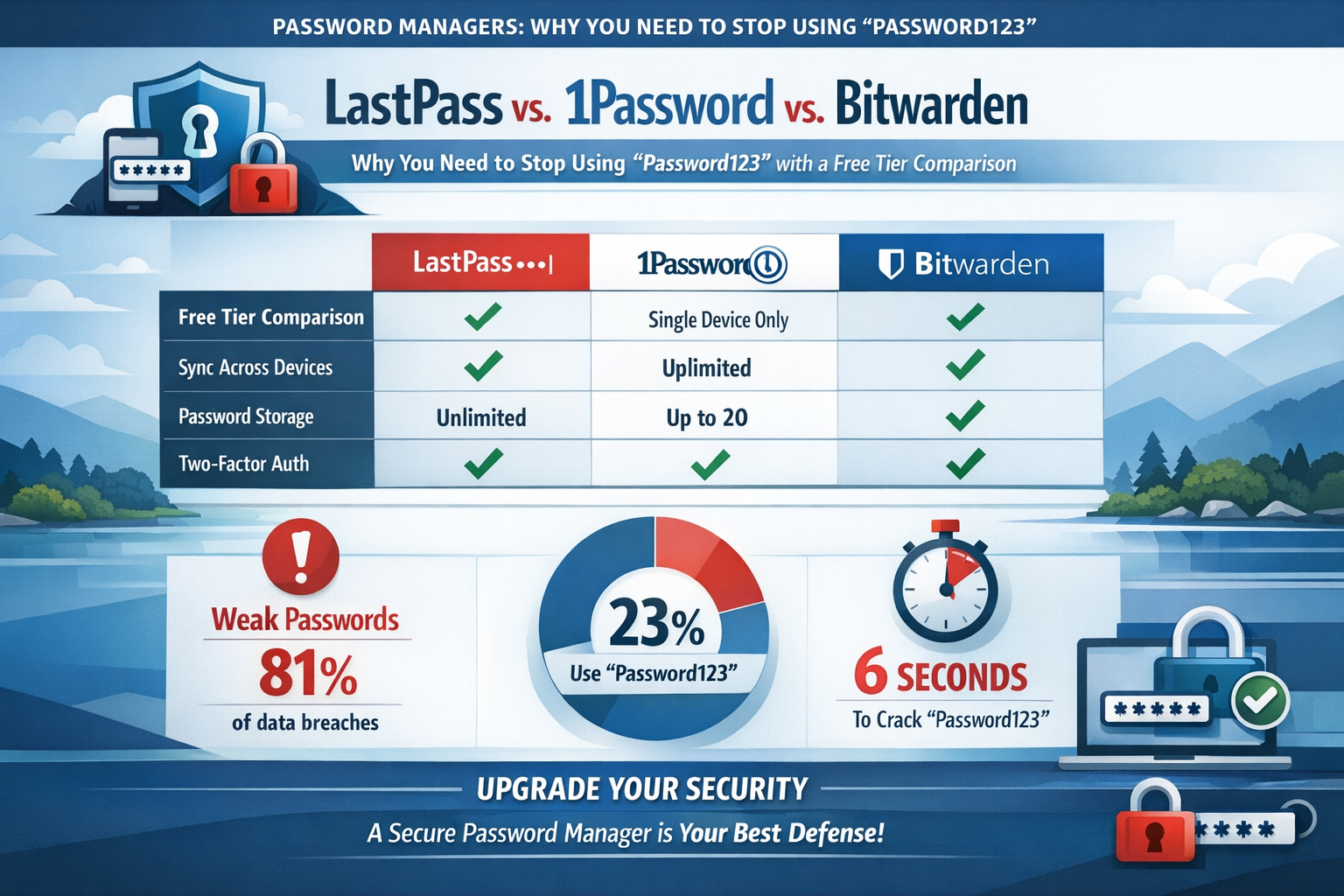
Choosing the right password manager is a pivotal step in ditching "Password123" for good. While many excellent options exist, LastPass, 1Password, and Bitwarden consistently rank among the top. Each offers unique strengths, especially when considering their free and paid tiers. Understanding these differences can help you select the best tool to secure your digital footprint in 2026.
LastPass: A Popular Choice with a Catch
LastPass has long been a household name in the password management space, praised for its user-friendly interface and extensive feature set. It makes it incredibly easy to generate strong, unique passwords and automatically fills them for you on websites and apps.
- Pros:
- Intuitive Interface: Easy for beginners to set up and use.
- Robust Features (Paid): Secure notes, form filling, dark web monitoring, one-to-many sharing.
- Cross-Platform Sync: Available on all major operating systems and browsers.
- Cons (Free Tier):
- Limited Device Access: As of 2026, the free tier restricts users to only one device type (either mobile OR desktop), making cross-device syncing impossible without a paid upgrade. This can be a significant drawback for many users who access accounts from multiple devices.
- Less Generous than Competitors: The free tier's limitations mean it's primarily a stepping stone to a paid subscription.
1Password: The Premium Experience
1Password is often considered the premium choice in password management, known for its sleek design, strong security architecture, and family-friendly features. It focuses heavily on security-first principles, making it a favorite among tech-savvy users and those prioritizing robust protection.
- Pros:
- Exceptional Security: Strong encryption, secure remote access, and regular independent security audits.
- User-Friendly Design: Very polished and intuitive applications across all platforms.
- Travel Mode: A unique security feature that allows users to temporarily remove sensitive data from their devices when crossing borders.
- Comprehensive Family/Team Features: Excellent for shared vaults and managed access.
- Cons (No Free Tier):
- No Free Tier: This is 1Password's main distinction here. It offers a 14-day free trial, but after that, a subscription is required. This immediately sets it apart from LastPass and Bitwarden if you're looking for a permanent free solution.
- Higher Price Point: While competitive for its features, it is generally more expensive than some alternatives.
Bitwarden: The Open-Source Champion
Bitwarden has gained immense popularity, especially among users who value open-source software, strong security, and a very generous free tier. It offers a comprehensive suite of features that rival many paid services.
- Pros (Free Tier):
- Generous Free Tier: Includes unlimited passwords, unlimited devices, two-factor authentication, secure notes, and even basic vault sharing for two users. This is by far the most feature-rich free offering among the three.
- Open Source: Its code is publicly auditable, fostering trust and transparency.
- Robust Security: Strong encryption, zero-knowledge architecture, and support for various 2FA methods.
- Cross-Platform: Excellent availability on all major browsers, desktop OS, and mobile devices.
- Affordable Premium: Their paid plans are very cost-effective, offering additional features like advanced 2FA, emergency access, and more storage.
- Cons:
- Interface Can Be Less Polished: While functional, its user interface might not feel as sleek or modern as 1Password's for some users.
- Fewer Advanced Features (Compared to Premium): The free tier is excellent, but features like advanced health reports or certain file attachments are reserved for paid users.
"Choosing a password manager is one of the most impactful decisions you can make for your digital security in 2026. It's the ultimate upgrade from 'Password123'."
| Feature | LastPass (Free) | 1Password (Trial) | Bitwarden (Free) |
|---|---|---|---|
| Unlimited Passwords | ✅ Yes | ✅ Yes | ✅ Yes |
| Unlimited Devices | ❌ No (1 type only) | ✅ Yes (Trial) | ✅ Yes |
| Secure Notes | ✅ Yes | ✅ Yes (Trial) | ✅ Yes |
| Cross-Platform Sync | ❌ No | ✅ Yes (Trial) | ✅ Yes |
| 2FA Support | ✅ Yes | ✅ Yes (Trial) | ✅ Yes |
| Basic Sharing | ❌ No | ✅ Yes (Trial) | ✅ Yes (2 users) |
| Open Source | ❌ No | ❌ No | ✅ Yes |
| Price After Trial | ~$3/month (Premium) | ~$3/month (Personal) | Free / ~$10/year (Premium) |
For most individuals seeking a free and effective way to secure their passwords across all devices, Bitwarden emerges as the strongest contender in 2026. Its commitment to open-source transparency combined with a feature-rich free tier makes it an ideal starting point for anyone ready to stop using "Password123" and embrace robust digital security.
How to Organize Shared Vaults for Families and Teams
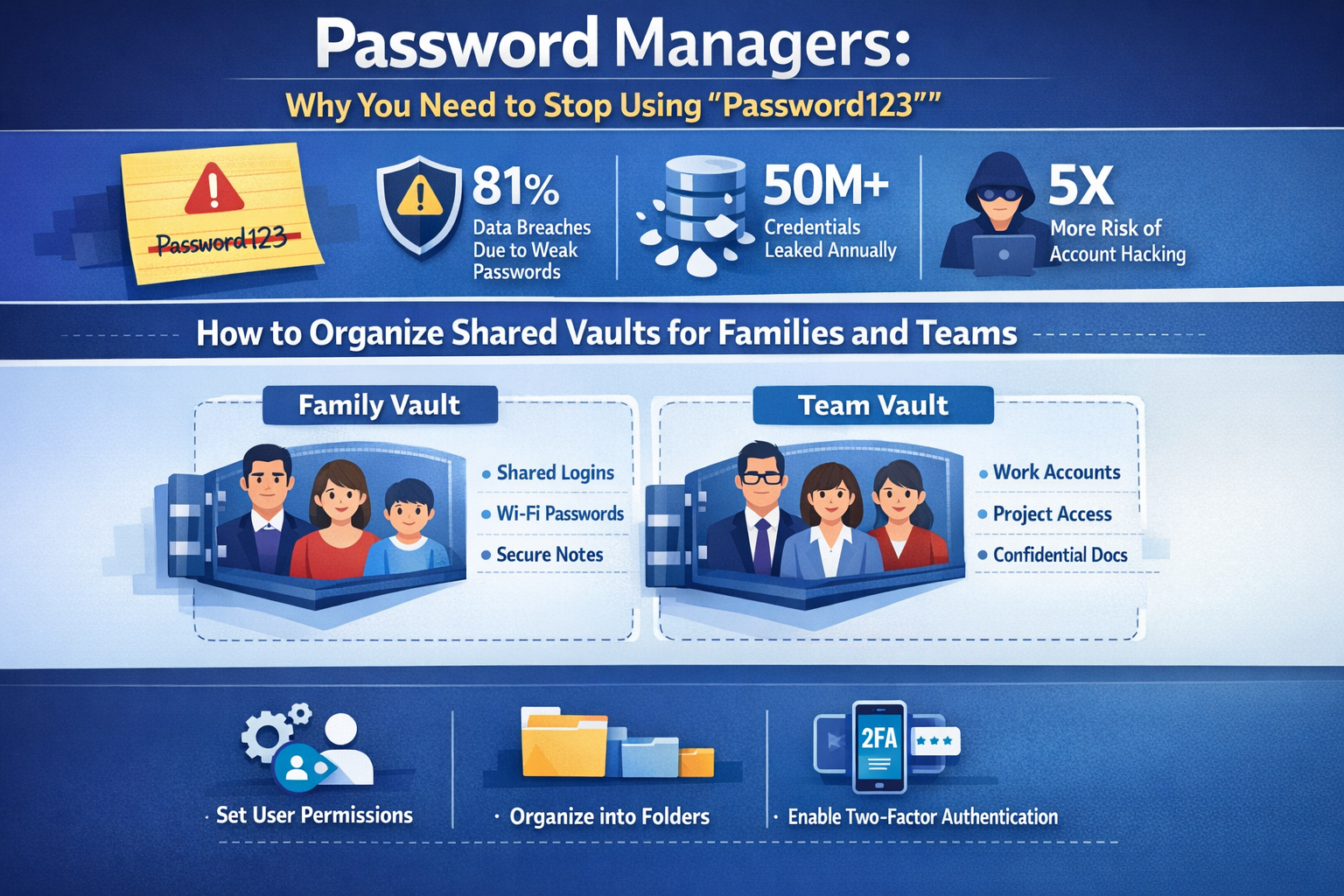
One of the most powerful, yet often overlooked, features of modern password managers is the ability to create and manage shared vaults. This functionality is invaluable for families needing to share access to streaming services, utility accounts, or even a shared banking portal. For teams, it's essential for securely managing company social media accounts, CRM systems, or cloud service credentials. Relying on shared "Password123"-like credentials written on sticky notes or sent via insecure messaging apps is an open invitation for disaster. Password managers solve this by providing a secure, encrypted way to share login information without ever exposing the raw password.
Benefits of Shared Vaults
- Enhanced Security: Passwords are never directly revealed to the recipient, only access to the entry. This significantly reduces the risk of credential theft.
- Centralized Management: All shared accounts are in one place, making it easy to update passwords, revoke access, or onboard new members.
- Improved Efficiency: No more asking "What's the Netflix password?" or scrambling to find the login for a critical business tool. Access is immediate and secure.
- Accountability: Some password managers can track who has accessed or modified entries in a shared vault, adding an extra layer of auditing for teams.
- Ease of Use: Once set up, accessing shared credentials is just as simple as accessing your personal ones.
Setting Up Shared Vaults
While the exact steps vary slightly between LastPass, 1Password, and Bitwarden, the general process for organizing shared vaults for families and teams is similar:
- Choose Your Password Manager: As discussed, Bitwarden offers basic sharing for two users in its free tier, making it a great starting point. For more extensive family or team needs, 1Password Family/Business or Bitwarden Families/Organizations are excellent paid options.
- Create a Shared Vault: Within your chosen password manager, you'll typically find an option to create a new "shared vault," "family vault," or "organization vault." Name it clearly (e.g., "Family Accounts," "Marketing Team Logins").
- Invite Members: Invite family members or team colleagues to join the shared vault using their email addresses. They will usually need to have their own account with the same password manager.
- Assign Permissions: This is crucial for teams. You can often assign different levels of access (e.g., read-only, edit, manage) to ensure only authorized individuals can make changes or view specific entries. For example, a marketing intern might have read-only access to social media accounts, while the marketing manager has full edit access.
- Add Shared Items: Populate the shared vault with relevant login credentials, secure notes, Wi-Fi passwords, or even credit card details that multiple people need to access. Remember, never put personal banking details into a team shared vault unless absolutely necessary and with strict permissions.
- Educate Your Users: Ensure all members understand how to use the shared vault, the importance of strong master passwords, and the necessity of two-factor authentication.
Pro Tip for Families: Use a shared vault for non-sensitive family accounts (e.g., streaming services, takeout apps, shared smart home logins). Each individual should still maintain their personal vault for their unique and highly sensitive accounts (e.g., individual banking, email).
By effectively utilizing shared vaults, families can streamline their digital lives, and businesses can bolster their cybersecurity posture, moving far beyond the risks associated with trivial, shared passwords. This systematic approach to credential management is a cornerstone of robust security practices in 2026. For organizations looking to strengthen their overall digital security, investing in a robust password manager with shared vault capabilities is as important as having strong firewalls or secure email. Learn more about protecting your business and employees through initiatives like skilled worker visa programs where digital literacy and security awareness are becoming increasingly vital for international workers, which you can read about here: relocate to the UK with your family skilled worker visa explained 2026.
The Convenience of Mobile Integration
In 2026, our smartphones are arguably our primary computing devices. From banking and shopping to communicating and working, a significant portion of our digital lives unfolds on mobile. This makes the seamless mobile integration of password managers not just a convenience, but a necessity. The days of struggling to type complex, randomly generated passwords on a tiny touchscreen are long gone, thanks to the sophisticated autofill capabilities offered by leading password managers.
How Mobile Integration Works
A well-integrated password manager on your smartphone or tablet transforms the login process from a tedious task into a quick, secure tap.
- Autofill on Websites and Apps: When you navigate to a login screen in a mobile browser or within an application, your password manager intelligently recognizes the site/app. It then offers to autofill your credentials with a single tap, often requiring only your fingerprint, face ID, or a quick PIN for verification. This eliminates manual typing and ensures you're always using a strong, unique password for every service.
- Password Generation On-the-Go: Need to sign up for a new service? Your mobile password manager can instantly generate a super-strong, unique password that meets all complexity requirements, then save it directly to your vault – all without you having to remember a single character. This is a game-changer for maintaining strong security across new accounts.
- Cross-Device Synchronization: Passwords you save on your desktop, laptop, or tablet are instantly available on your smartphone, and vice-versa. This real-time synchronization ensures that your vault is always up-to-date across all your devices, regardless of where you accessed or updated a credential. This is particularly valuable if you are managing a large number of accounts or frequently switch between devices, whether for personal use or for professional tasks like managing applications for 62,000 Caregiver Jobs in Canada with Visa Sponsorship or 60,000 Hotel Jobs with Visa Sponsorship in the UAE.
- Secure Access to Other Items: Beyond just passwords, mobile apps allow quick access to secure notes, credit card information (for quick and secure online checkouts), and other sensitive data stored in your vault. This means you can have critical information at your fingertips without compromising security.
Why It's Crucial for You to Stop Using "Password123"
The convenience offered by mobile integration is a powerful motivator to finally abandon weak passwords.
- Eliminates Password Fatigue: No more trying to remember dozens of complex passwords or resorting to variations of "Password123." The manager remembers for you.
- Boosts Security Effortlessly: Because it's so easy to use, you're far more likely to generate and use strong, unique passwords for every account. This fundamentally changes your security posture from vulnerable to robust.
- Protects Against Phishing: Many password managers can detect when you're on a fake website, refusing to autofill your credentials. This adds a critical layer of defense against sophisticated phishing attacks.
- Peace of Mind: Knowing that all your online accounts are protected by unique, strong passwords, and that you can access them securely from any device, provides invaluable peace of mind.
"In the mobile-first world of 2026, a password manager isn't just a security tool; it's an essential digital assistant that makes strong security convenient and accessible, liberating you from the dangers of 'Password123'."
Think of your password manager as a secure, digital vault that travels with you, ensuring that every login is as secure as possible, without adding friction to your busy day. This convenience means there's truly no excuse to keep using "Password123" or similar weak passwords. Whether you're applying for undergraduate scholarships in Australia or managing your personal finances, mobile password managers make strong security a seamless part of your daily digital life.
Conclusion: Security is Convenient if You Use the Right Tools
The digital landscape of 2026 is one where online security is no longer an optional add-on but a fundamental necessity. The era of relying on easily guessable passwords like "Password123" or its many flimsy variations must end. As this article has demonstrated, the risks associated with weak or reused passwords are too significant to ignore, leading to everything from personal identity theft to widespread data breaches. Fortunately, the solution is not only robust but also incredibly convenient: password managers.
These powerful tools act as your personal digital guardians, generating impenetrable passwords for every single one of your online accounts and storing them in an encrypted, easily accessible vault. They eliminate the burden of memory, the frustration of forgotten logins, and the looming threat of compromised accounts. From the generous free tier of Bitwarden, which offers enterprise-grade security for individuals across unlimited devices, to the premium family and team solutions provided by 1Password, there is a password manager perfectly suited to every need and budget.
The ability to organize shared vaults securely revolutionizes how families and teams manage critical credentials, fostering collaboration without sacrificing privacy or protection. Furthermore, seamless mobile integration ensures that this elevated level of security is always at your fingertips, transforming the tedious act of logging in into a single, secure tap.
Choosing to implement a password manager is more than just downloading an app; it's a deliberate step towards a more secure, less stressful digital future. It empowers you to navigate the internet with confidence, knowing that your personal data and online identity are shielded by robust, unique credentials, far beyond the reach of "Password123" and its ilk.
Actionable Next Steps:
- Choose Your Password Manager: If you're new to this, start with a feature-rich free option like Bitwarden. If you need more advanced features or family/team plans, explore 1Password or the premium tiers of LastPass/Bitwarden.
- Set a Strong Master Password: This is the only password you'll ever need to remember. Make it long, complex, and utterly unique. Consider using a passphrase.
- Enable Two-Factor Authentication (2FA): Activate 2FA on your password manager's master account for an extra layer of security.
- Import Existing Passwords: Most password managers allow you to import passwords from your browser or other sources, making the transition easier.
- Start Generating Strong Passwords: For every new account you create, use your password manager to generate a unique, complex password.
- Update Old Passwords: Gradually, update your existing accounts to use strong, unique passwords generated by your manager. Start with your most critical accounts (email, banking, social media).
- Explore Shared Vaults: If you share accounts with family or colleagues, set up a shared vault to centralize and secure these credentials.
- Integrate Mobile: Install the password manager app on your smartphone and tablet to enjoy seamless autofill and access on the go.
By taking these steps, you're not just improving your cybersecurity; you're streamlining your entire online experience, making it safer, faster, and infinitely more convenient. It's time to retire "Password123" forever.
SEO Meta Title: Password Managers: Stop Using "Password123" Now!
SEO Meta Description: Secure your digital life in 2026 with password managers. Compare LastPass, 1Password, & Bitwarden to ditch weak passwords and boost online security.